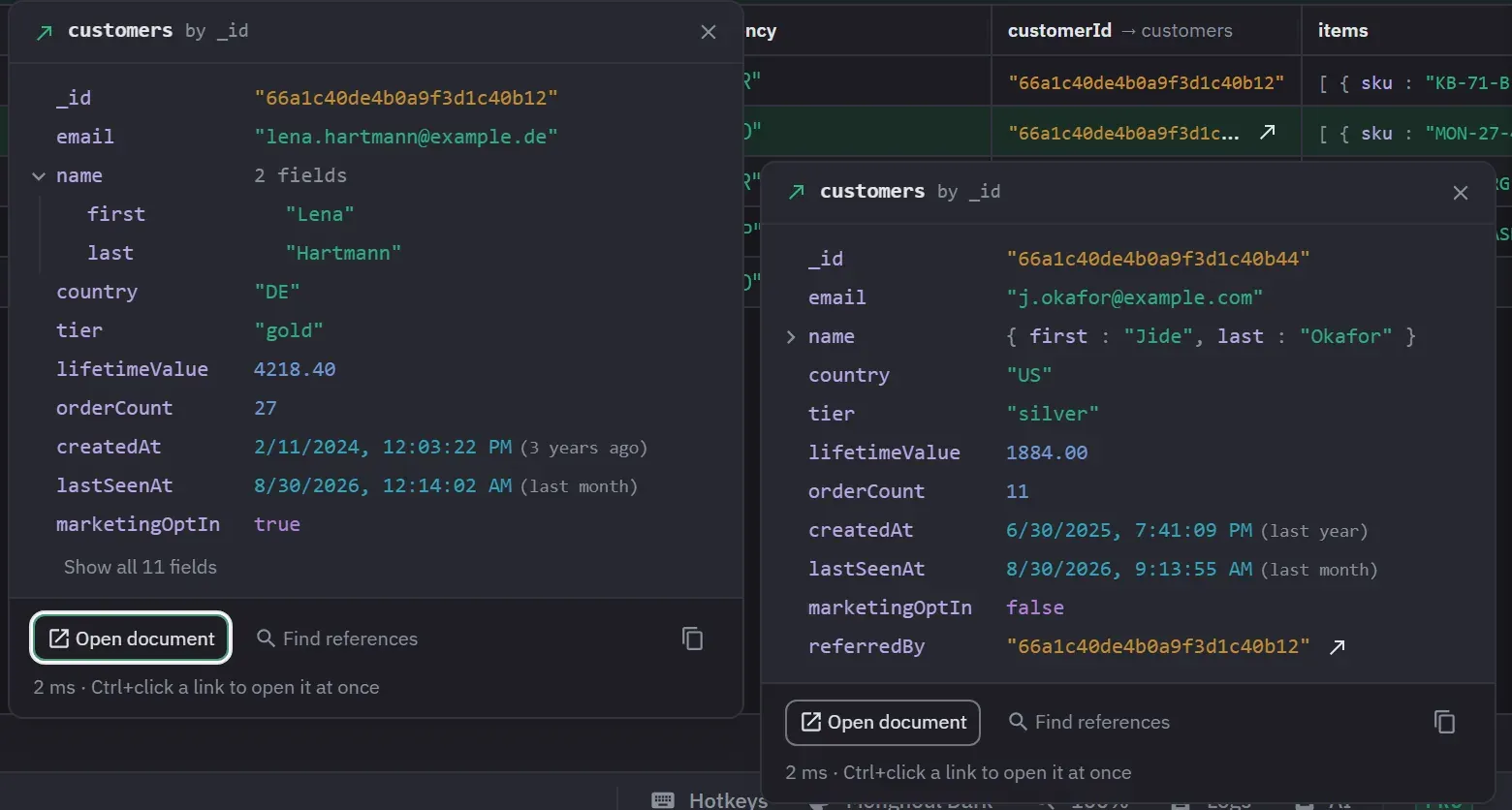
Open related documents from your query results
Run one scan, and Monghoul finds the fields that point at other collections and checks them against your data. After it, an id in a result opens the document it names, and the editor offers the right $lookup first.
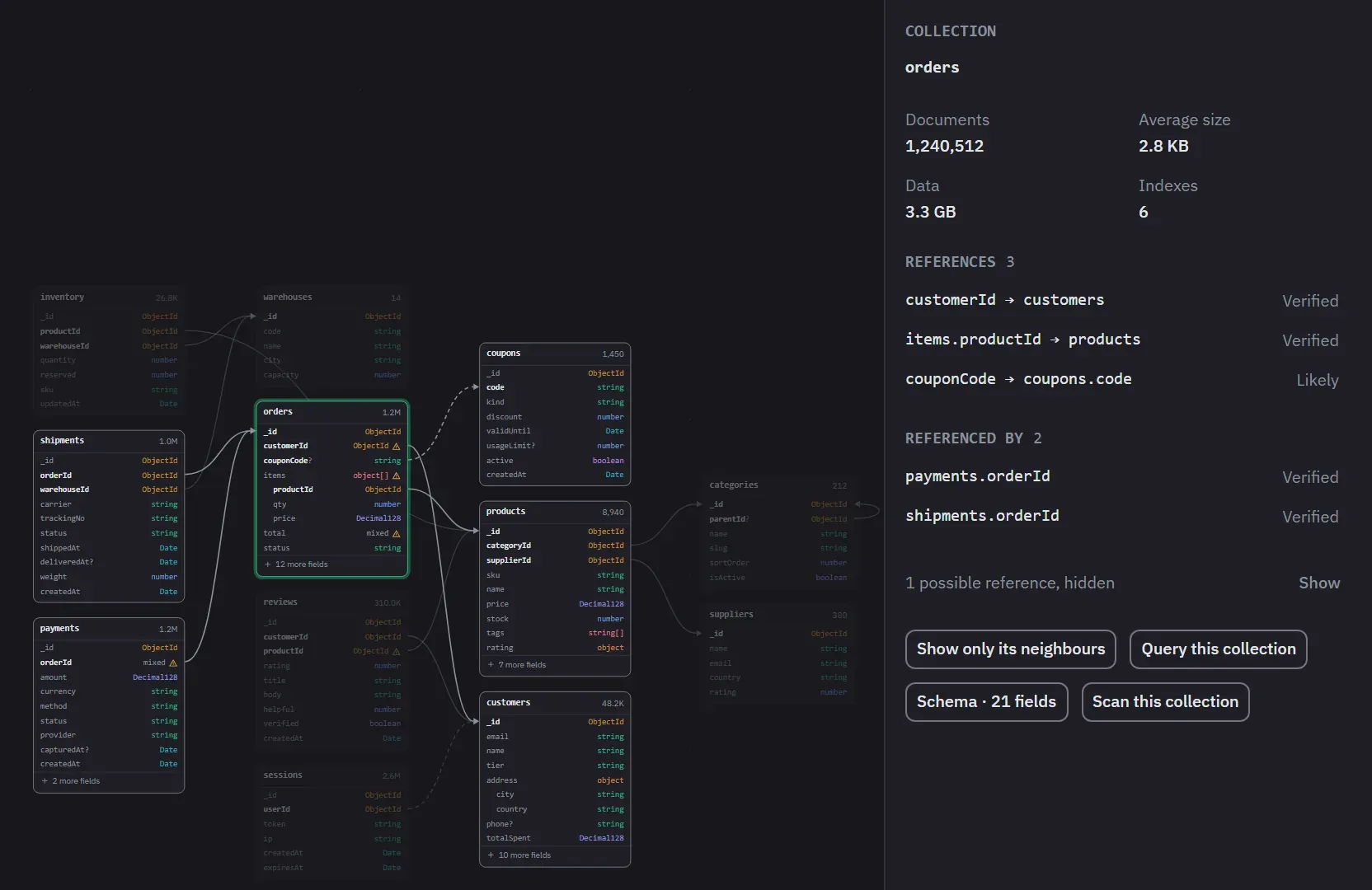
The whole database on one screen
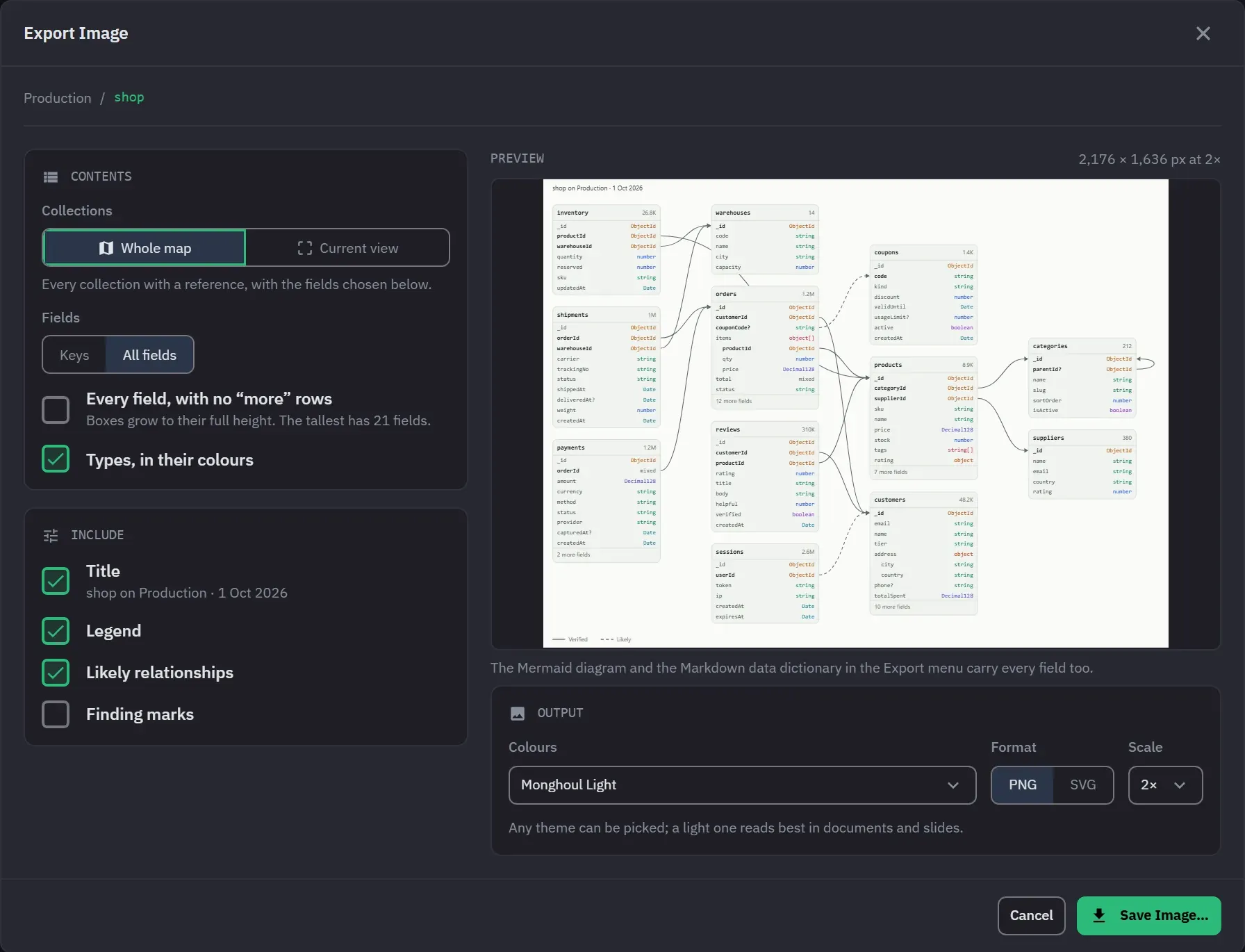
Each collection is a box of its fields and types, and a line joins each field to the collection it points at: solid when the scan verified it, dashed when it is only likely. Select a collection to list its links both ways.
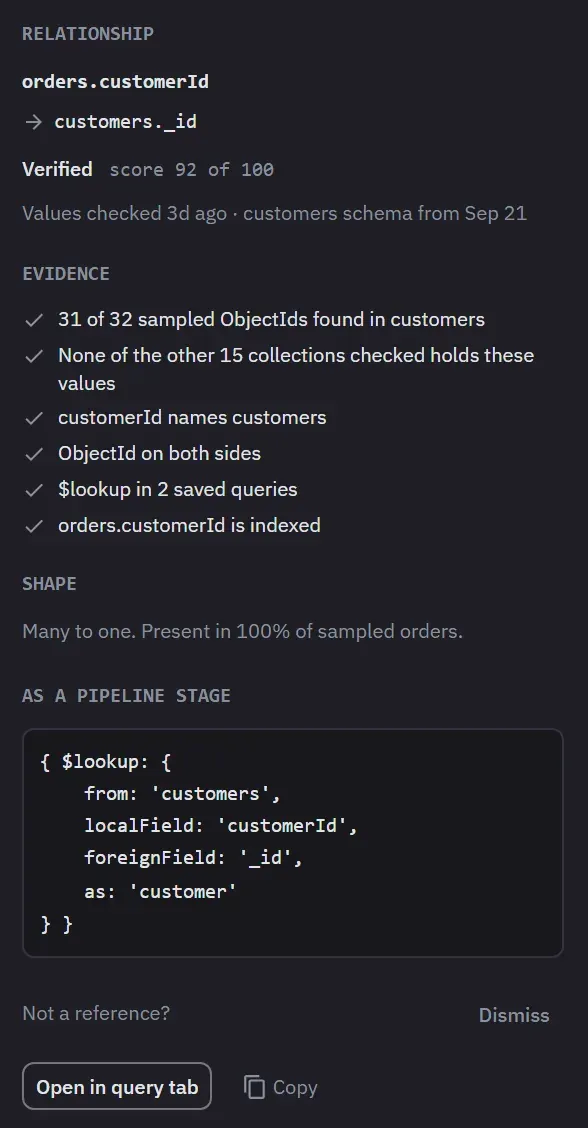
Every link shows its evidence
Select a line to see why the scan believes it: how many sampled ids were found, whether the names and types agree, and whether the field has an index. You confirm the link or dismiss it, and its $lookup stage is ready to copy.
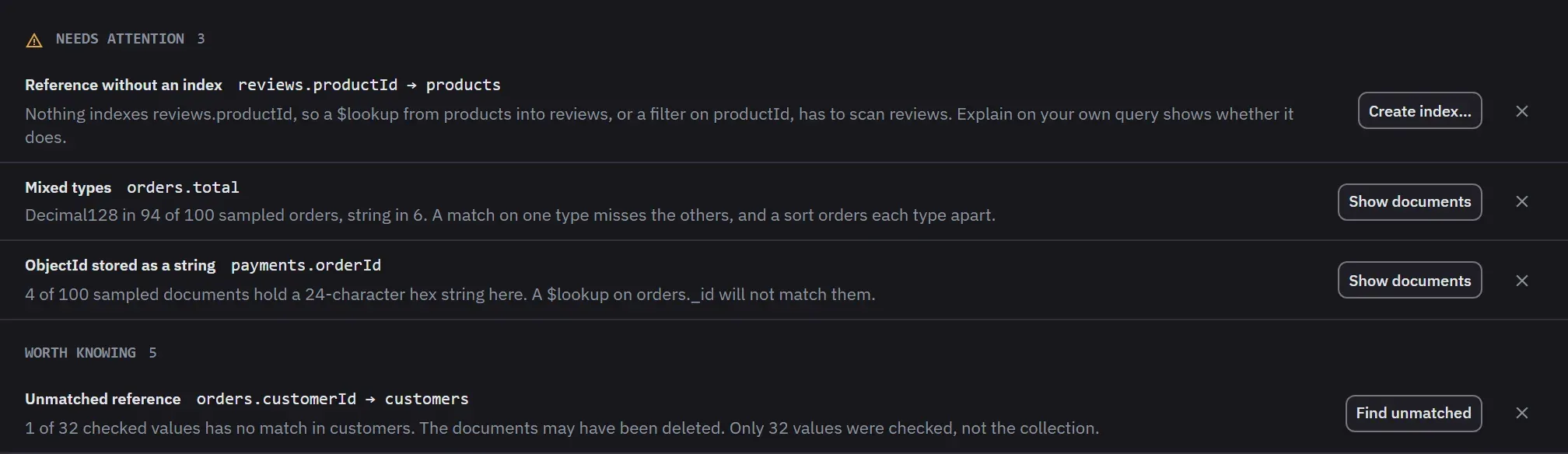
Problems found on the way
References with no index, mixed types, ObjectIds stored as strings, and values that match nothing. Each finding ends in an action the app already has, such as Create index.
Share the map
Save the map as an image in any theme, with every field or only the keys. The same menu writes a Mermaid ER diagram and a Markdown data dictionary.
Also in this part
- In the editor
- Inside
$lookup, the collections this one references come first, andlocalFieldandforeignFieldput the relationship’s two fields first. A snippet writes the whole stage. - For an assistant
- On Pro, an AI assistant reads the same map, and
find_join_pathgives it the$lookuppipeline between two collections. - Verified, likely, or yours
- Verified needs 20 values looked up, 90% of them found, and a name, a DBRef or a
$lookupas well. You confirm or dismiss the rest. - Limits
- Up to 1,000 documents per collection (500 on Free), one command at a time, each with a 3-second limit. The list of what is new since the last scan needs Pro.
Try it against your own data
38 MB installer. Free forever, and a 14-day Pro trial with no card.