v1.14.1 · 38 MB · Windows, macOS, Linux
Query and manage MongoDB from one workspace
Suggestions from your own data, related documents one click away after a scan, and query plans that name the index a slow query needs. Each part below shows the real screen. Most of it is free; charts, cluster monitoring, user management and AI access need Pro.
01 · Querying · Free
Autocomplete from your data, in every pipeline stage
Field names, types and values from your own collections. A later stage is offered the fields an earlier stage joined or added.
How it works: Querying →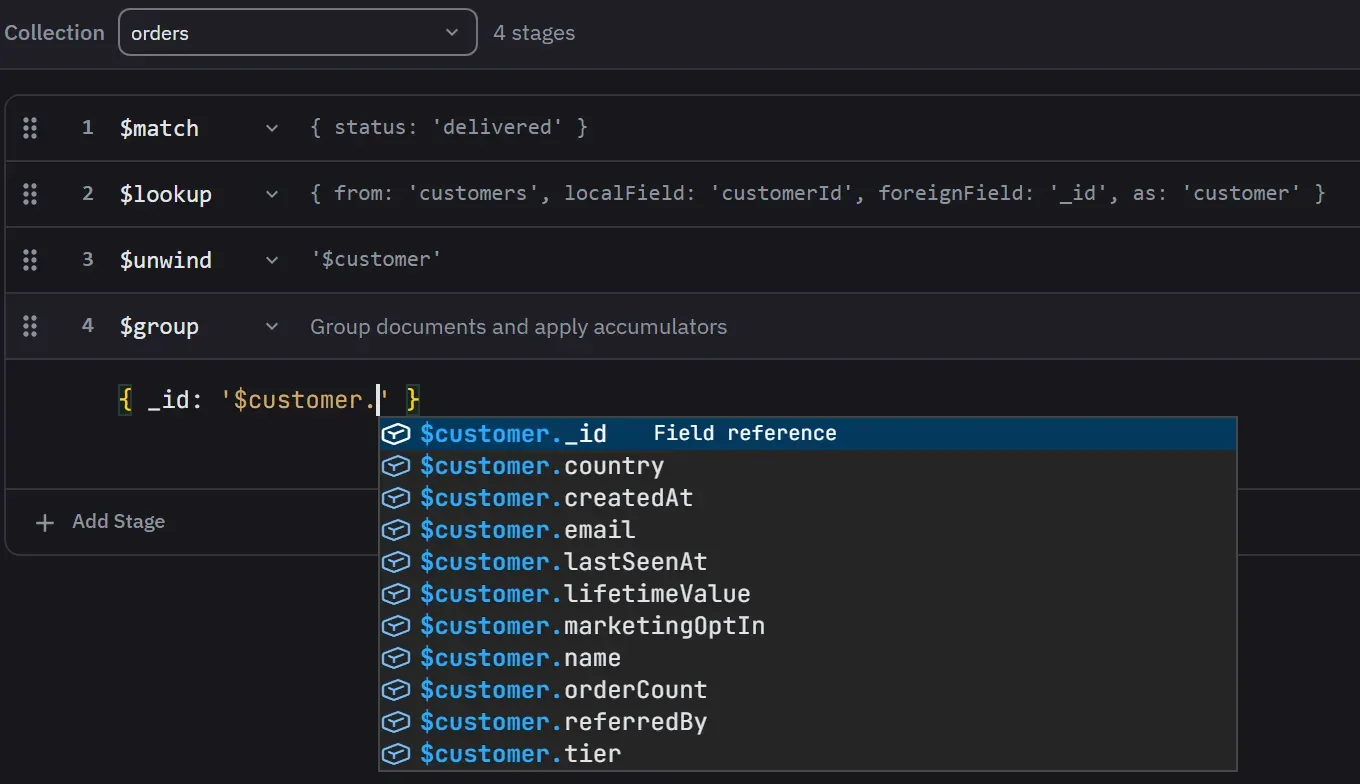
02 · AI access · Pro
Let an AI assistant query MongoDB, with your approval
Claude Code, Cursor and other MCP clients use your saved connections. With the default permissions, every query waits until you allow it.
How it works: AI access →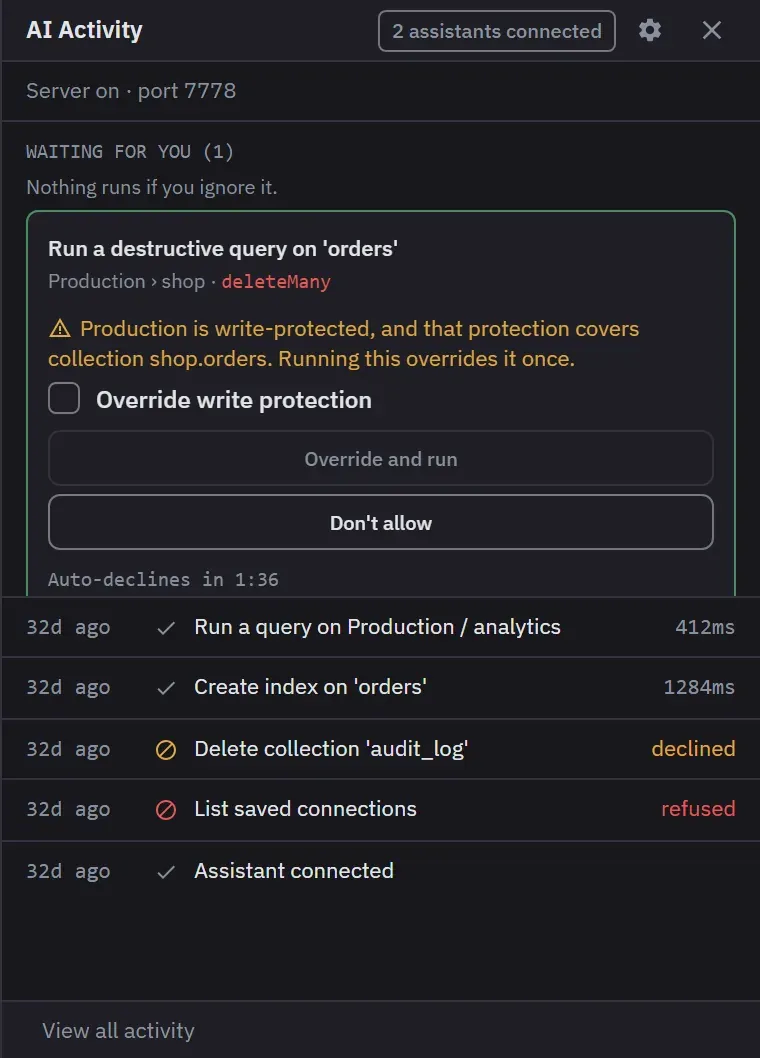
03 · Database map · Free
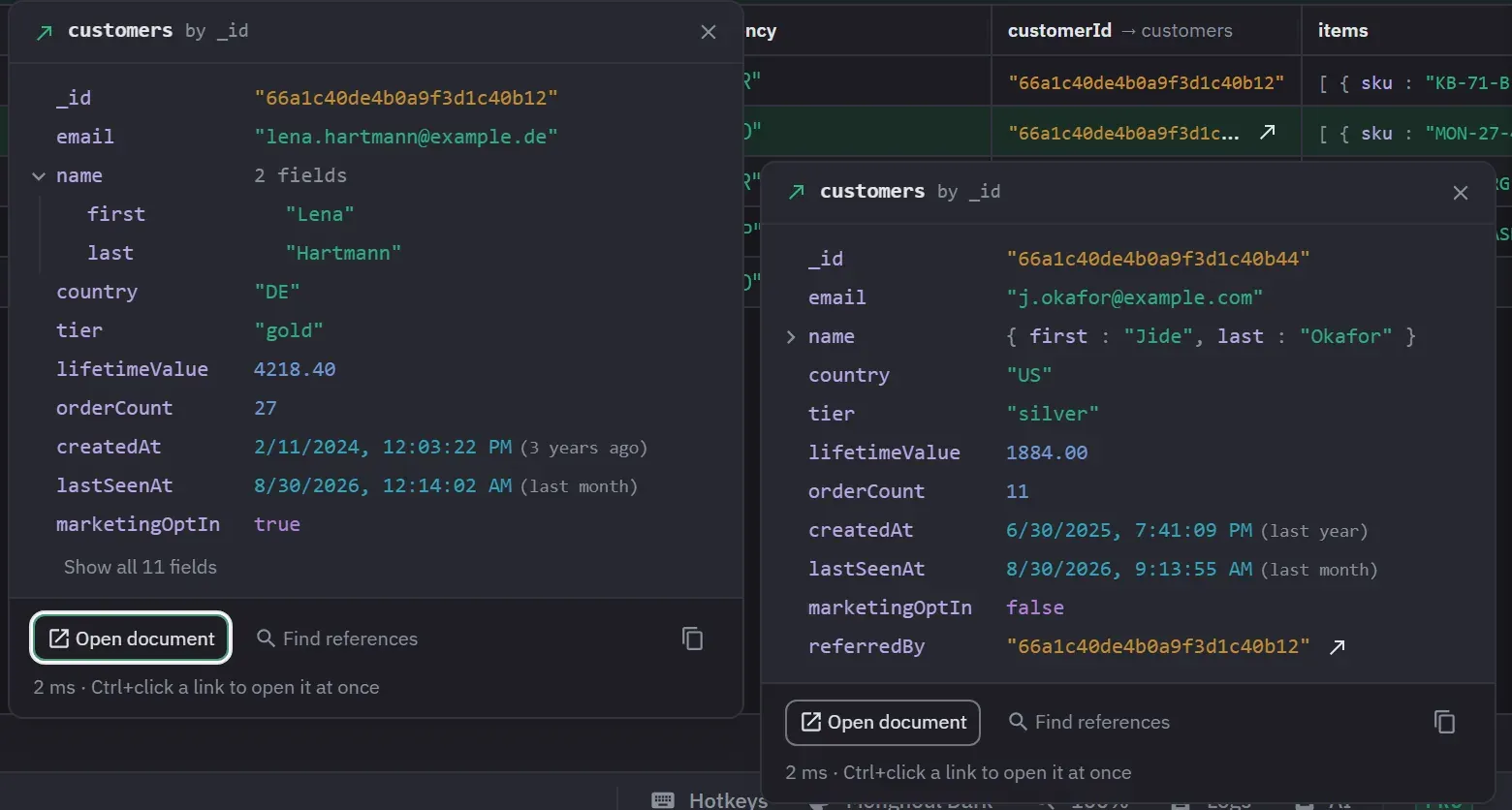
Open related documents from your query results
Run one scan. After it, an id in a result opens the document it names, and an id in that document opens the next one.
- The whole database on one screen
- Every link shows its evidence
- Problems found on the way
- Share the map
04 · Reading results · Free, charts on Pro
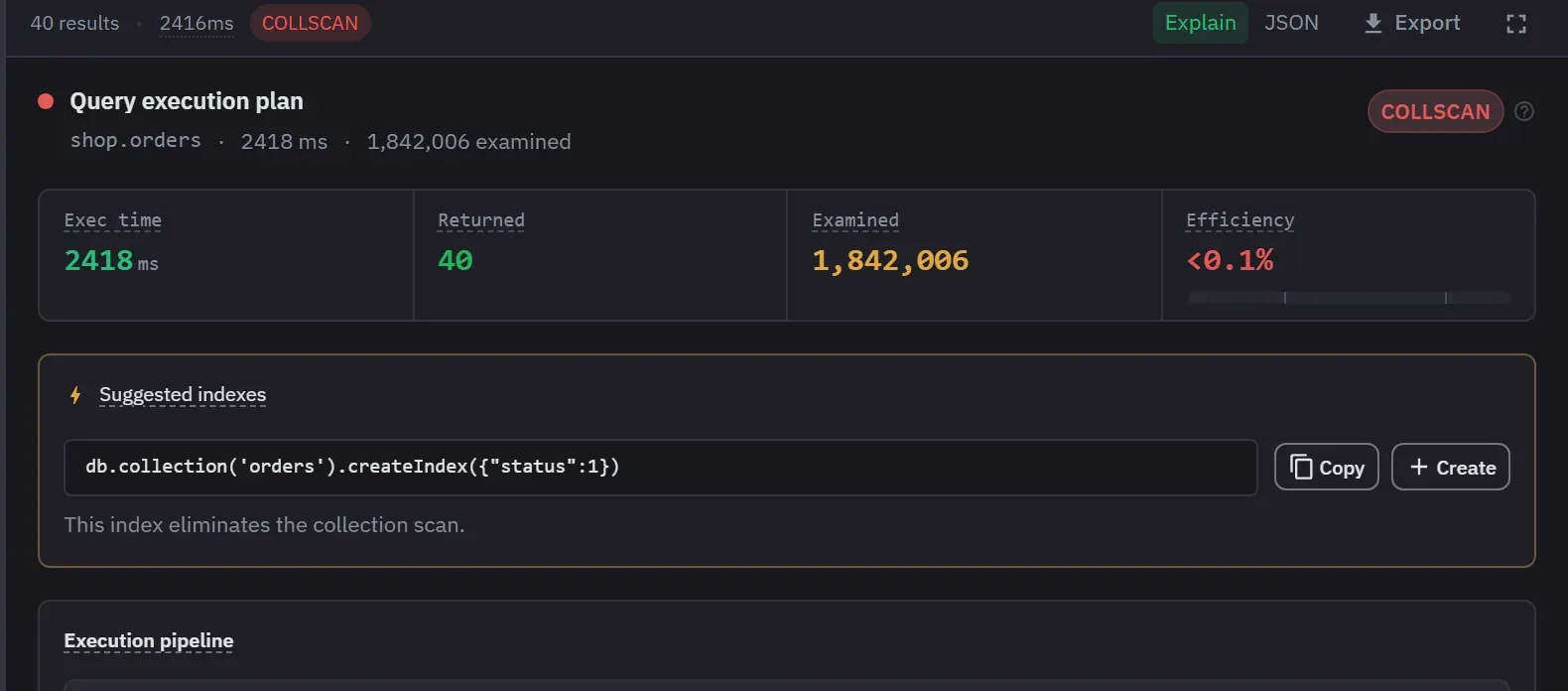
Read your results, and see why a query is slow
Table, tree and JSON, one click apart. A find or aggregation is explained by default, and a collection scan comes with the index that would fix it.
- A table that keeps up
- Every value with its type
- Edit in place
- Two documents side by side
- Charts from the same result
05 · Moving data · Free, some on Pro
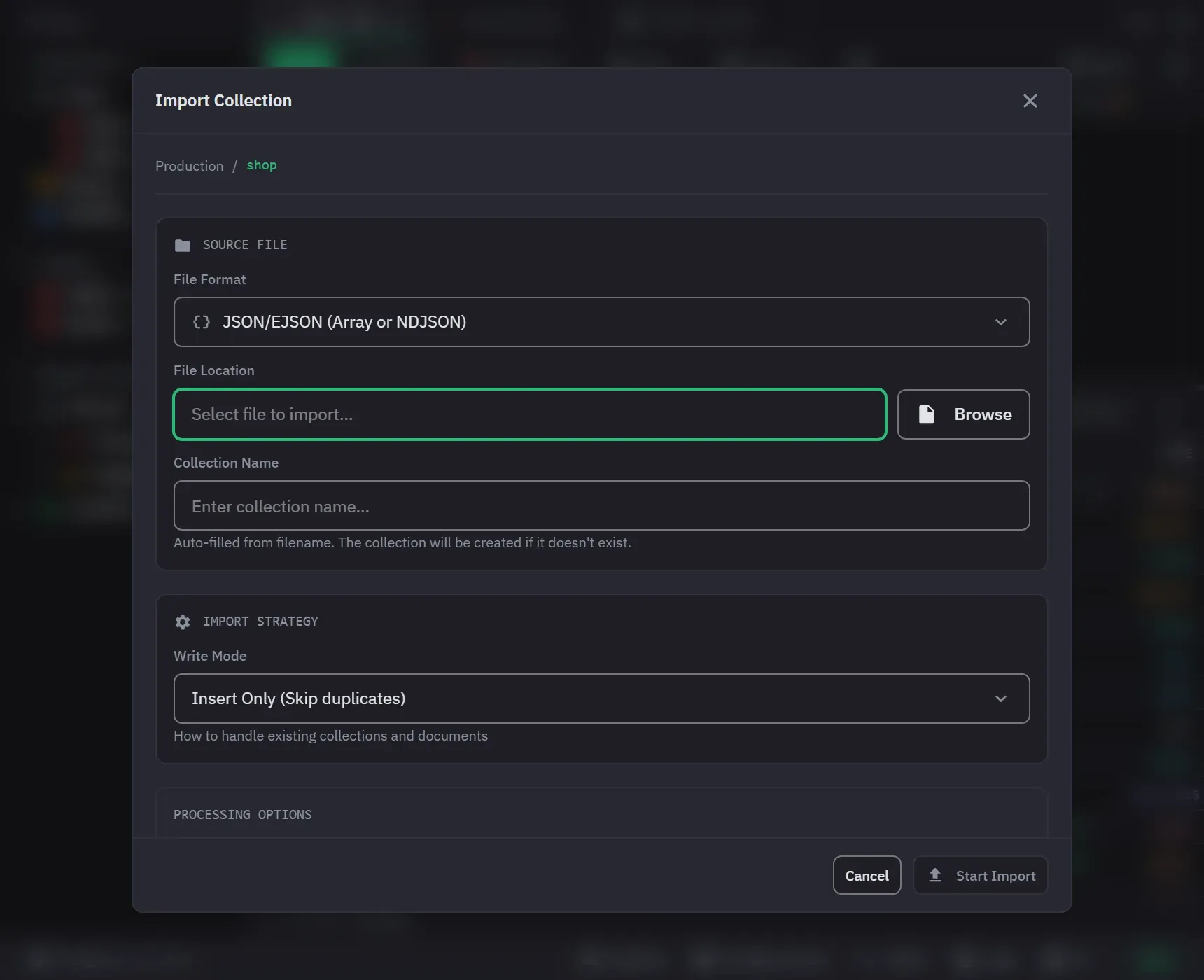
Import, export and copy data, or generate test documents
JSON, Extended JSON, NDJSON and CSV files, a copy straight to another server, and test documents you can read before they are written.
- Export what you filtered
- Copy to another server
- Test data you can read first
- See the shape of a collection
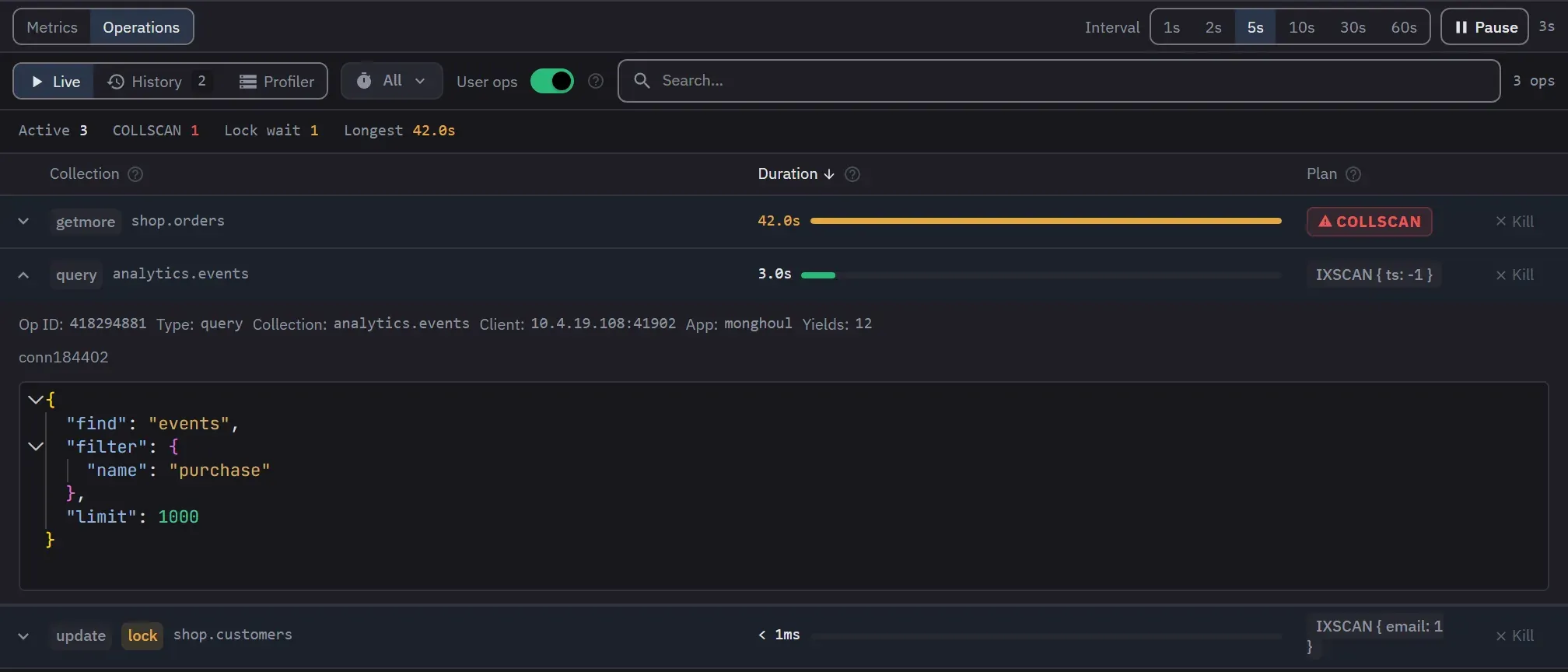
06 · Operations · Free, monitoring on Pro
See what your server is running right now
Live metrics, replica set health, and each running operation with the plan it chose and a Kill button. Indexes, validation and the operation log are free.
- Live metrics and health
- How much each index is used
- Create an index on one form
- Users and roles
- A log of everything the app ran
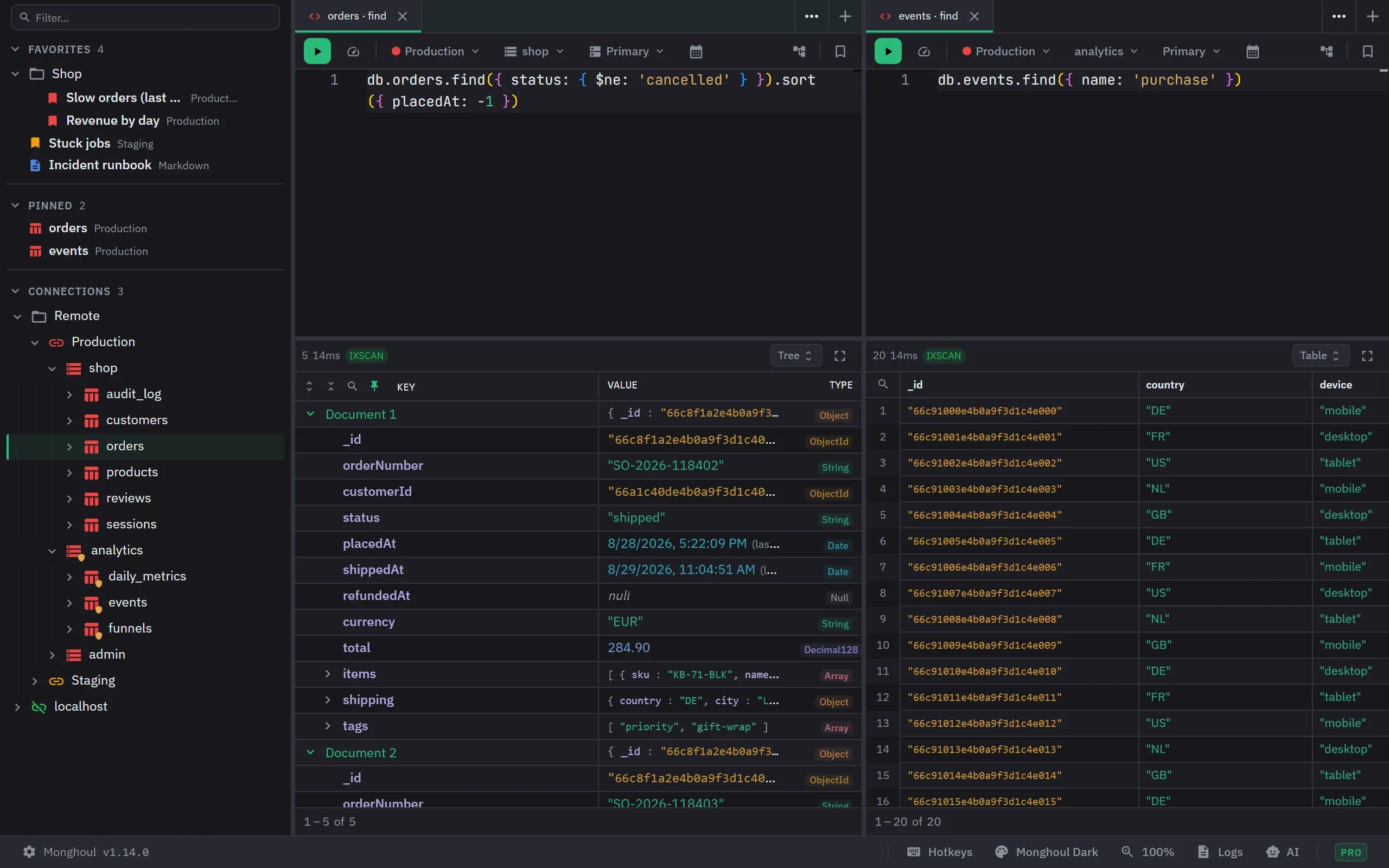
07 · Workspace · Free, some on Pro
Keep related queries side by side
Split the window into panels, each with its own query, and jump anywhere with Ctrl+K. Tabs, results and layout come back when you reopen it.
- One box for everything
- Details without opening
- Tabs that say where they write
- 11 themes, or your own
- Watch the app change as you edit
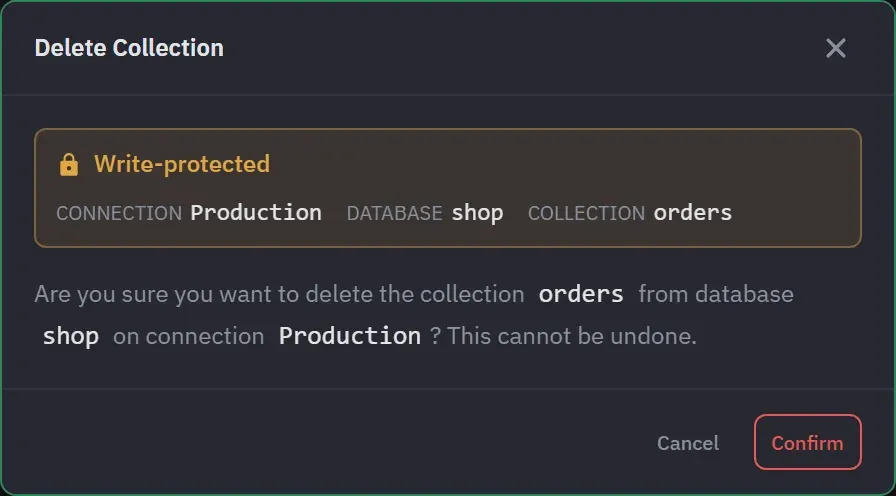
08 · Connections and safety · Free
Ask before any write to the data you protect
Turn on write protection for a connection, a database or a collection, and each write there asks first. TLS, SSH tunnels and 8 authentication methods.
- Turn it on where it matters
- Paste a connection string
- Test before you save
- SSH and TLS
- Passwords under your system’s key
Everything written down
The reference covers every setting and every limit, one page per area, checked against v1.14.1.