49 pages · checked against v1.14.1
Monghoul documentation
Everything the app does, written down. Start at the top if you have just installed it, or go straight to the reference if you know what you are looking for.
Getting started
Install it, connect to a cluster, run the first query. One path, no branching.
- Install Monghoul Download and install on Windows, macOS or Linux, and what each platform asks you the first time you open it.
- Connect to a cluster Create your first connection from a URI or from individual fields, and turn on write protection before you point it at production.
- Run your first query Open a collection, run a find, read the result six different ways, and find out whether it used an index.
Guides
One task per page. How to do the thing you came here to do.
- Export a MongoDB collection to CSV or Excel Two ways out: mongoexport from the command line, which needs --fields for CSV, or the export dialog. Both lose BSON types, and this says where.
- Connect to MongoDB through an SSH tunnel ssh -L forwards the port by hand; the connection dialog opens the tunnel itself. Either way the host you name is the one the jump box sees.
- Join two MongoDB collections with $lookup MongoDB has no JOIN keyword. $lookup does it inside an aggregation, returns an array, and fails quietly when the two key types differ.
- Map an unfamiliar MongoDB database You were handed a database with no diagram. Scan it, see which references the data proves, and export a data dictionary or an ER diagram.
- Generate test data for MongoDB A mongosh loop covers a thousand rows of nothing. Keeping the real types, the nullable fields and the unique constraints is the part that takes a generator.
- Fix a slow query with an index Go from a query that feels slow to the index that fixes it, using the explain view and the profiler.
- Connect MongoDB to Claude or Cursor with MCP Pro The official server is one npx line and writes by default. This covers that setup, what --readOnly actually restricts, and the scoped alternative.
- Copy a collection to another database Pro Same server: $out, which does not bring the source indexes with it. Another server: mongodump piped into mongorestore. Or copy it from the app.
- Make a custom theme Pro Generate a whole theme from one brand colour, then adjust the parts you care about, and share it as a file.
- Import a CSV or JSON file into MongoDB mongoimport needs --headerline for CSV and guesses every type unless you tell it otherwise. The import dialog does the same job with the traps labelled.
- Edit a document in production without an accident The settings to turn on before you point this at something that matters, and what each one actually stops.
Reference
What is true. Every setting, every limit, every tier marker.
- Connections and security Connection profiles, the eight authentication methods, TLS and SSH, and the write protection that sits in front of every destructive operation.
- Sidebar and navigation The connection tree, search across the whole hierarchy, pinned collections, favorite queries, and folders.
- Command palette One fuzzy search over every command, connection, database, and collection.
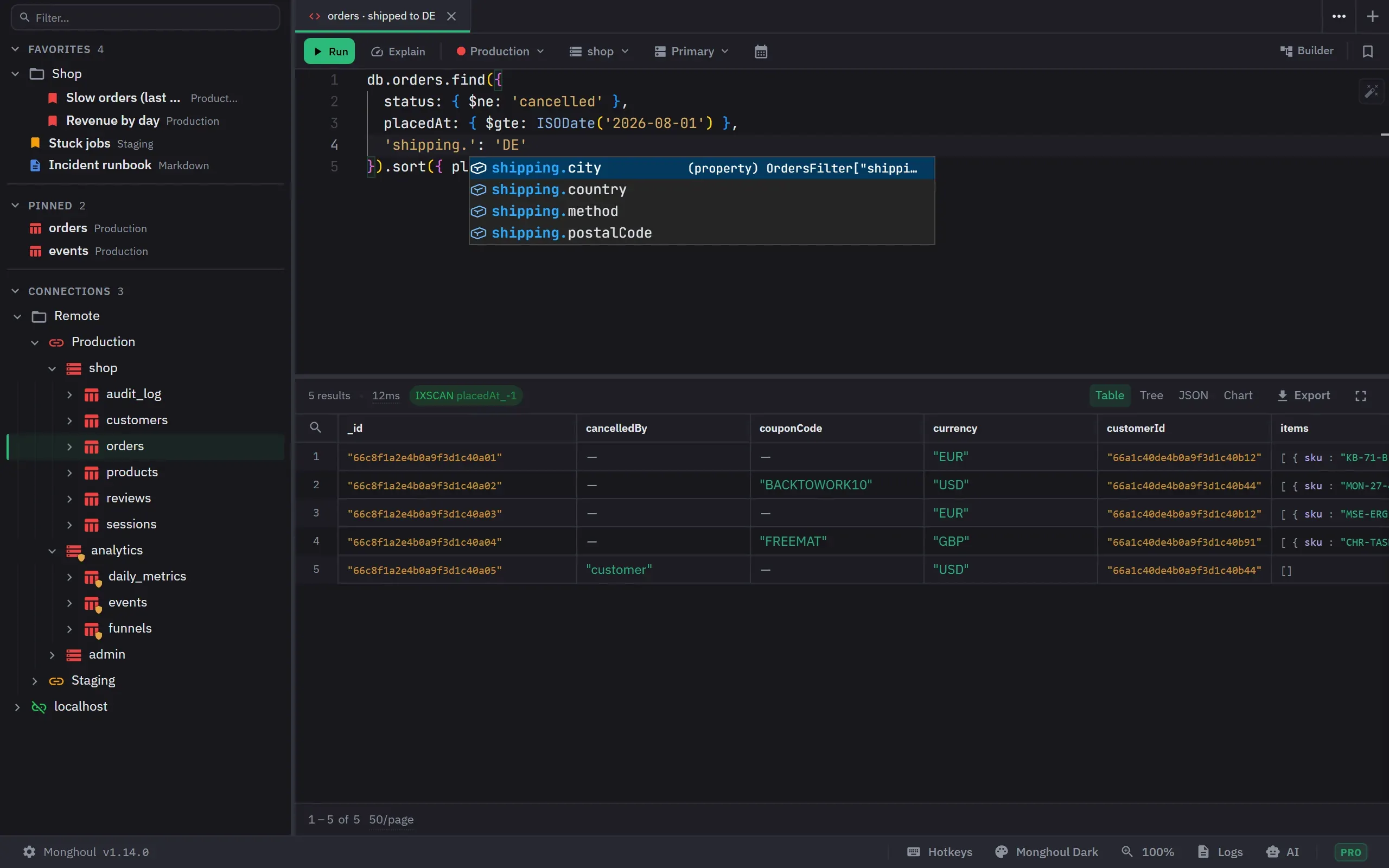
- Query editor and environment A Monaco editor over the MongoDB Node driver, with a JavaScript sandbox around it.
- Schema-aware autocomplete Completions come from your collections, and they follow fields through the stages that reshape them.
- Aggregation builder Build a pipeline stage by stage and preview each stage, or write it as code. The two views stay in sync.
- Result views Six ways to read a result set: table, tree, JSON, result, explain, and chart.
- Document actions and result export Editing a document in place, comparing two of them, and getting a result out of the app.
- Charts and visualization Pro Six chart types over a result set, with stacking, without leaving the tab.
- Tabs and workspace Tabs, split panels, detached windows, and what the app restores when you reopen it.
- Import and export JSON, CSV, Excel and NDJSON in and out, plus copying a collection between instances.
- Schema analysis Sample a collection and get every field, its types, and how often each one appears.
- Data generation Generate test documents from 17 Faker categories, previewed before anything is written.
- Index management Create, inspect, rebuild and drop indexes, with usage counts on each one.
- Validation rules Edit a collection $jsonSchema, with its validation level and action.
- Database map A scan reads a sample of every collection, finds the fields that reference other collections, and checks each one against the data.
- Cluster monitoring Pro Live server metrics, connection usage, replica set health, slow queries, and the profiler.
- Users and roles Pro Database users, the roles they hold, and custom roles.
- Operation logs Every operation the app ran, searchable, with its duration and its outcome.
- Current operations What Monghoul is running right now, and how to cancel it.
- AI access Pro The built-in MCP server: which clients connect, what they are allowed to reach, and what needs approval first.
- Themes and appearance Eleven built-in themes and an editor that generates a whole token set from one brand colour.
- Interface and display Zoom, date display, and the other settings that change how the app reads.
- Keyboard shortcuts Every shortcut in the app, and how to rebind one.
- Extended JSON and BSON How ObjectId, Date, Decimal128, Long, UUID and Binary survive a round trip through the app.
- Database and collection operations Creating, renaming and dropping databases and collections, and reading their stats.
- Licensing and trial What the free tier includes, what Pro adds, how the trial works, and how device activation behaves.
- Updates, privacy and support Automatic updates, what leaves your machine, and where your data is kept.
Concepts
Why the app behaves the way it does, for the parts where that is not obvious.
- Write protection Why the confirmation you see is raised by reading your query but enforced at the driver, and what that difference buys you.
- Reading an explain plan What the four plan grades mean, why examined-against-returned is the number that decides, and when a collection scan is fine.
- Where your credentials are kept Monghoul encrypts your saved connection passwords with a key your operating system holds. What that protects against, what it does not, and how it differs by platform.
- Free and Pro What the free tier includes forever, which limits are hard and which are soft, and exactly what a Pro licence adds.
Troubleshooting
What to do when it does not work.
- Connection problems The errors people actually hit when a connection will not open: server version, TLS, SRV lookups, Atlas IP access, and SSH tunnels.
- Keychain and saved passwords What to do when Settings reports reduced protection, when a saved password cannot be read, or when Monghoul asks for a password it used to know.
- Licence activation Where your key is, moving to a new machine, freeing a device slot, and what happens when validation cannot reach the network.
Not finding it?
The docs cover the app. For a licence, a payment, or a bug, the support page has the route for each one and says how long a reply takes.
Support →