Licence activation
Where your key is, moving to a new machine, freeing a device slot, and what happens when validation cannot reach the network.
Where your key is
Your licence key is shown on the receipt page immediately after payment, and it is emailed to you.
The email comes from PayPro Global, who are the merchant of record for Monghoul. That is also the name that appears on your card statement. If you cannot find the email, check spam for the PayPro name rather than for Monghoul.
You can also activate from the receipt link. It opens the app through a
monghoul://activate-license deep link. The app activates the licence and reports the result as a
notification. The licence view does not have to be open.
Activating
Click the FREE badge in the footer to open the licence view. Click Already purchased?
Enter a license key, paste the key (it looks like XXXX-XXXX-XXXX-XXXX) and click Activate.
The app sends the key, with a fingerprint of the device, to the licence server. The server verifies
the key and binds the device. A toast reads “License activated successfully!” and the badge changes
to PRO.
A licence activates on up to 3 devices.
What the activation errors mean
The licence view shows the failure as a toast. Each message has one fix.
| Message | What to do |
|---|---|
| License key not found. Check your purchase confirmation email for the correct license key. | Copy the key again from the PayPro email. Do not type it by hand. Check for a trailing space. |
| This license has been revoked. If you believe this is a mistake, contact support at contact@monghoul.com | A refund or a chargeback revokes a licence. If you did neither, write to support. |
| This license has expired. Please renew your subscription or purchase a new license. | Renew the subscription. A paid plan that shows this message needs a look at the PayPro receipt. |
| License validation failed. This may happen if the license was activated on a different device. Try deactivating on the other device first. | Free a device slot, as described below. |
| Something went wrong: This license is active on N devices. Deactivate one first. | Free a device slot, as described below. |
| Could not reach the license server. Check your internet connection and try again. | Check the network, a proxy or a firewall, then try again. |
| License server authentication failed. Please try again later or contact support. | Wait and try again. If it stays, write to support. |
The licence is already active on its maximum number of devices
Every slot on the licence is in use, and the message ends with “Deactivate one first.” Two ways out:
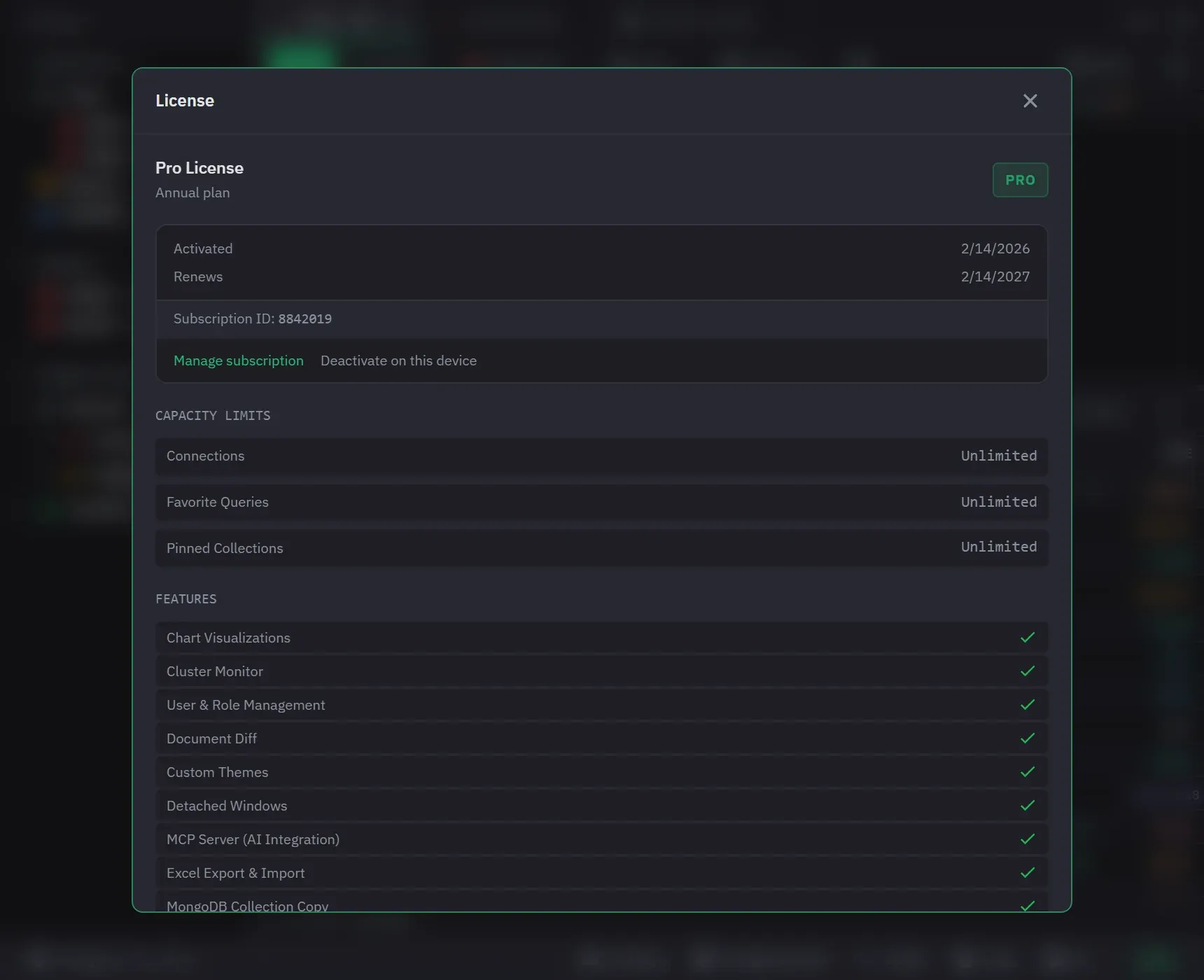
- Deactivate the device you are leaving. On that machine, open the licence view and click Deactivate on this device, then confirm. This does not cancel your subscription. It frees the slot and returns that install to Free. It still completes on this device when the licence server is unreachable.
- Try the new machine again. A device that has not been seen for 30 days is released automatically when another device needs its slot, so the activation that hit this message can succeed on a second attempt.
If the old machine is gone, dead, or no longer yours, contact support with your licence key and we will free the slot. The licence view shows the plan, the activation date and the renewal date, and you can click the key to copy it.
Moving to a new machine
Deactivate on the old machine first if you still have it, then activate on the new one with the same key. Your connections, tabs, queries and themes are stored locally and are not carried across by the licence, so export anything you want to keep before you wipe the old machine.
It reverted to free while I was offline
A short time offline does not do it. A month of it will.
Subscriptions validate at startup, and a network failure does not remove access you already have. If you are on a plane and the check cannot run, the app keeps working.
Pro survives 30 days of checks that cannot reach the licence server. The count starts at the first check that could not confirm your licence rather than at the last one that did, and a check that succeeds clears it. Past 30 days the app reverts to free until it can confirm the licence again, which it tries at startup and every six hours while it runs. So a machine kept off a network for longer than a month comes back to Pro once it is online, with nothing to re-enter.
What else reverts:
- An inactive subscription, after a three-day grace period counted from the recorded expiry date. A cancelled, expired or past due subscription is inactive. A failed renewal payment is the usual cause.
- A revoked licence, immediately. This includes a lifetime licence.
- A trial, when its 14 days end. The app does not contact the server for this, and the licence view says “Your free trial has ended.”
- A licence record that was altered, or copied from another machine. The app starts on Free. Activate the key again on the machine.
The licence view gives the reason for a revert in plain words, for example “Your subscription payment failed. Please update your payment method.” A subscription that becomes active again restores Pro at the next start. You do not enter the key again.
If your subscription is paid, the machine has been online, and the app still reverted, the fastest check is whether the payment actually went through on the PayPro receipt. Then contact support.
Manage or cancel a subscription
In the licence view, click Manage subscription. The app emails a one-time login link to the address on the licence. A lifetime licence has no subscription, so it has no such button.
Lifetime licences
A lifetime licence includes every future update, with no time limit, and activates on any version. There is no renewal, so there is no grace period to fall out of.
Refunds
Refunds are handled by PayPro Global as the merchant of record. Ask us at support and we will start it, or contact PayPro directly with the order number on your receipt.