Monghoul against Studio 3T
Studio 3T measured against Monghoul on one machine: 415 MB against 106 MB on disk, 5.23 s against 0.07 s to a window, 626 MB against 398 MB of memory.
On this page
Monghoul puts its aggregation builder, schema-aware autocomplete and Database Map on a free tier you can use at work. Studio 3T’s free Community Edition is non-commercial. In our test Monghoul’s window appeared in 0.07 s against 5.23 s for Studio 3T, and it took 105.6 MB on disk against 415.4 MB.
Studio 3T has the longest feature list in this category. SQL migration, data masking, Reschema and OIDC single sign-on are all there, and Monghoul has none of them. Both sides are below.
What was measured
The numbers, and how they were taken:
- Machine
- One Windows 11 PC, both apps installed
- Runs
- 7 launches each from a full stop, median
- State
- Nothing connected, checked by the script
- Measured
- 12 September 2026, with the script
The full method
Both installed on the same Windows 11 machine and measured with the same script, published at github.com/Kontsedal/monghoul-public/tree/main/benchmarks/client-footprint. Studio 3T 2026.13.1 against Monghoul 1.12.0. Every figure is the median of 7 launches, each from a fully stopped state, with memory sampled 20 seconds after the window appeared. Memory is summed private working set, so a page shared between an app's processes is counted once rather than once per process. The script counts each app's own established connections, and neither app had a database connection open. Measured 12 September 2026.
- Time to the app window
-
- On disk
-
- Idle memory, nothing connected
-
Files installed: 570 against 7. Processes: 1 against 8. These describe each install, and fewer is not better. Studio 3T shows a splash screen at 0.15 s, and the time above is its real window.
Studio 3T reached its window between 5.12 and 5.34 s every time. Its memory moved more, 522 to 766 MB across the seven runs, which is what a garbage-collected runtime does at rest. Monghoul held 397 to 401 MB and 0.071 to 0.092 s.
This pairing was measured in its own run rather than in the sweep that produced the other comparisons on this site, because Studio 3T’s window title changed with its licence edition and the first attempt never matched it. Monghoul was launched seven times beside it and landed on 398 MB, the same figure as in that sweep, so the two runs are comparable. The table quotes the sweep’s record, so the whole site cites one baseline for this product.
Two startup numbers, because there are two windows. Studio 3T puts a splash screen up in 0.15 seconds and its real window about five seconds after that. The row above is the real window, because that is the one you can work in.
The process counts differ, and neither is better. Studio 3T is one process, because install4j hosts the JVM inside it. Monghoul is eight: a shell, a query sidecar, and six WebView2 processes.
The disk difference comes from what each app ships. The measurement found four bundled Java runtime artifacts in the Studio 3T directory and none in ours. Studio 3T ships a JVM, and Monghoul uses the WebView2 already on the machine. Shipping the runtime means Studio 3T behaves the same on every machine, and using the system one means we depend on the WebView2 the system has.
Where Monghoul is ahead
A free tier you can use at work
Studio 3T Community Edition is free for students and hobbyists, non-commercial only, and it connects to at most three clusters. A working developer pays for Professional or Ultimate. Monghoul’s free tier allows commercial use, with 8 saved connections, no time limit and no signup. It includes autocomplete, the aggregation builder, the Database Map and every result view except charts.
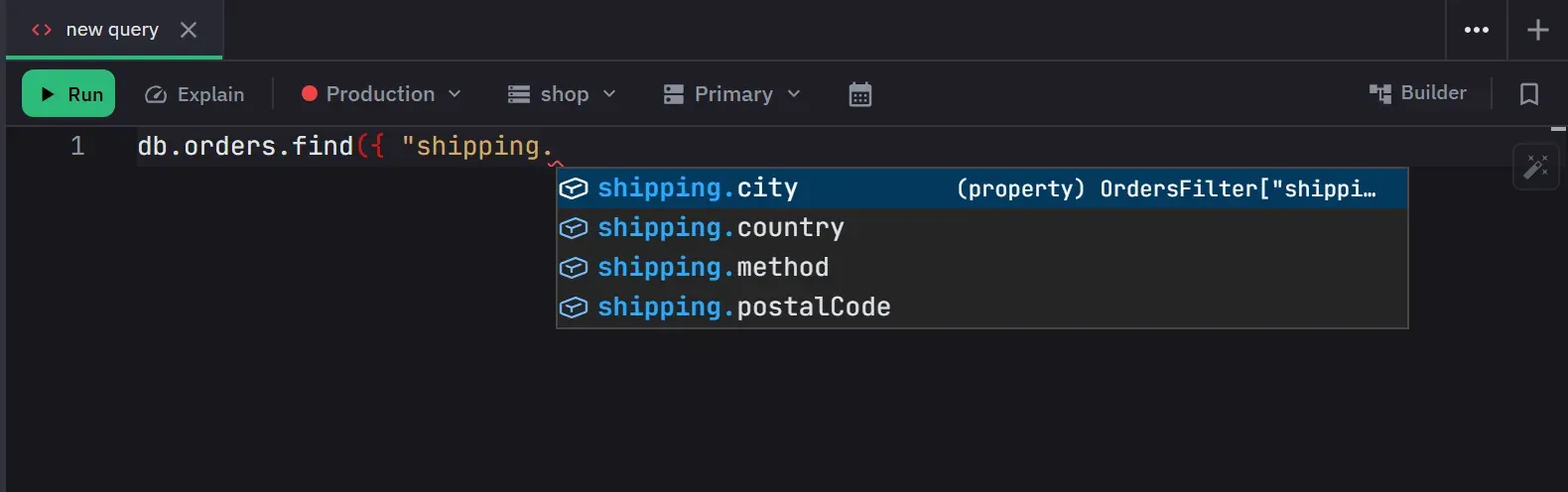
Autocomplete from your data
It covers the MongoDB 8.x operator surface, and it uses the active database’s real collection
names, field paths, types and values. A field’s known values are offered where a value for that
field belongs and nowhere else, and inside a pipeline the suggestions follow the fields each stage
adds or removes. Inside $lookup you get from, localField, foreignField, let, pipeline
and as, required ones first. The full behaviour.
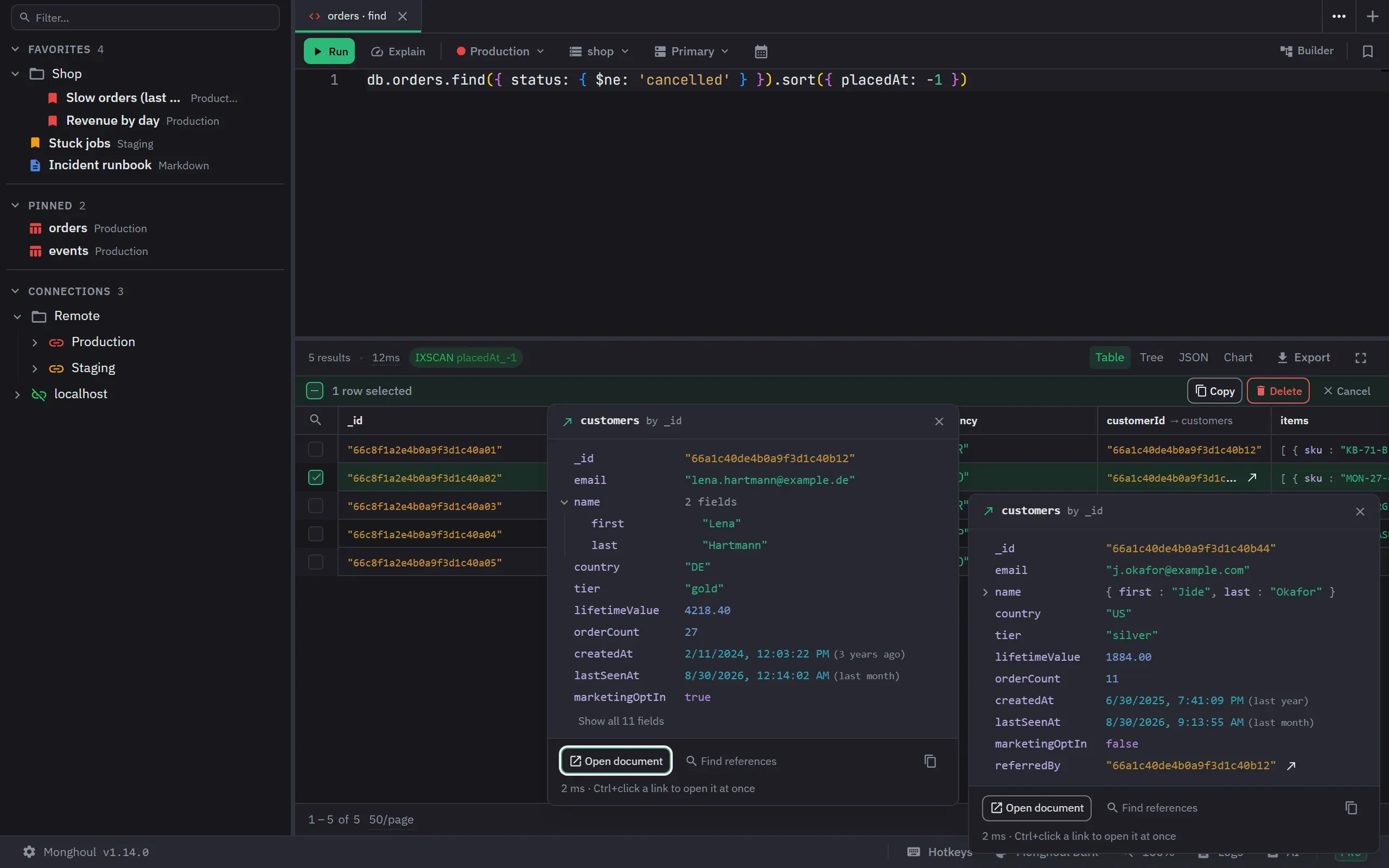
References found for you, and then used
Studio 3T has offered Follow Reference on ObjectIds and DBRefs since 2015, and it remembers the
target you pick for each field. Monghoul’s Database Map finds the references by a scan and checks
each one against the data, with a note on how sure it is. After the scan, an id opens its document,
$lookup suggests the referenced collection and then the two fields that join them, and the
Findings view lists references with no index, ObjectIds stored as strings and values that match
nothing. How the Database Map works.
The aggregation builder, on the free tier
Studio 3T’s Aggregation Editor runs each stage and shows what went in and what came out, and so does Monghoul’s builder. The difference is where it sits: Monghoul’s is on the free tier, with eight quick starts and a stage picker that names the server version a stage needs. The aggregation builder.
Write protection at the driver
Per connection, for everything or for named databases and collections, covering inserts, updates,
deletes, bulk writes, drops, renames, index changes and aggregation output stages. The check runs
as the call executes, so bracket notation, an alias or a raw db.command cannot get past it, and a
db.command against a protected target is limited to commands known to be reads.
Where that check runs decides what it catches.
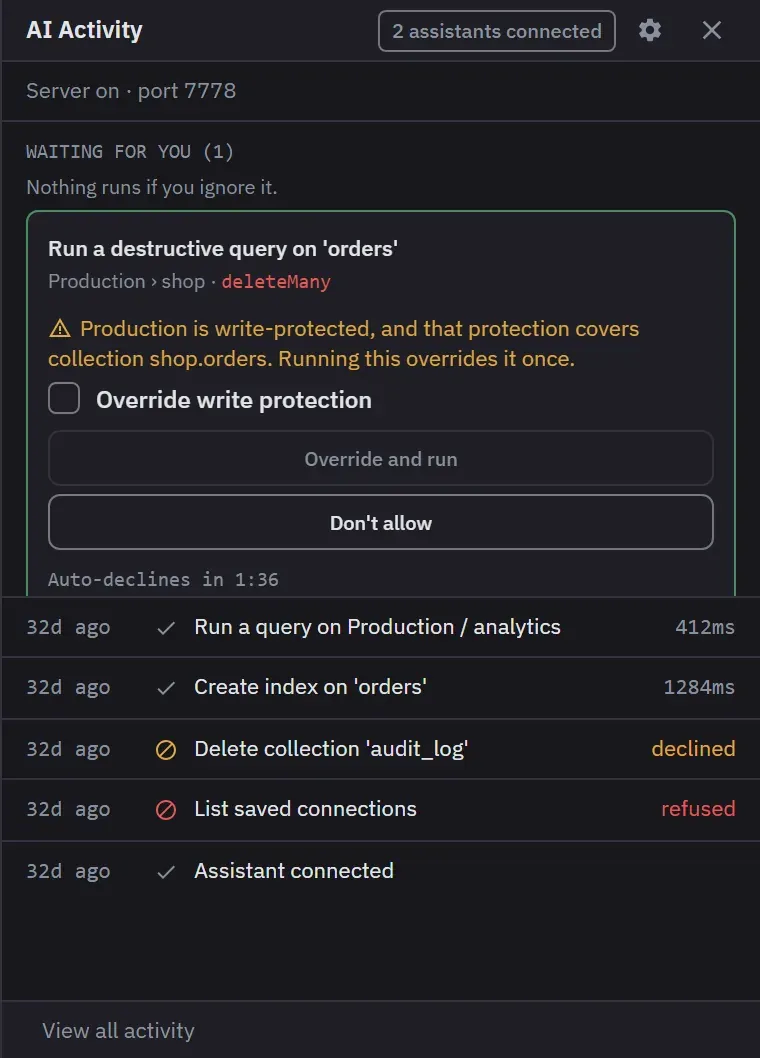
An assistant that can write, behind approvals
Studio 3T Ultimate has run a local MCP server since 2026.9.0. By 3T’s own account it shares the same set of 10 read-only tools as the in-app AI Helper. Monghoul Pro’s 80+ MCP tools can also write. A write waits for your approval by default, and it still answers to the connection’s write protection. Which you want depends on what you let an assistant do. How that is set up.
A quick, quiet window
0.07 seconds to a window against 5.23, from a native shell that bundles no JVM and no browser. The window is spare: keyboard first, fewer panels, and the result is the loudest thing on screen. 11 themes, a command palette, rebindable shortcuts, and tabs that persist, split and detach.
Where Studio 3T wins
Depth. SQL migration in both directions, SQL queries against MongoDB, data masking and Reschema. Monghoul has none of them. If that work is your week, Studio 3T is the tool.
The enterprise authentication list. Ultimate carries Kerberos, LDAP, OIDC single sign-on and AWS IAM. Monghoul Pro carries Kerberos, LDAP, X.509 and AWS IAM, and no OIDC. If a procurement form says OIDC, choose Studio 3T.
Years of use. Studio 3T has been in use for many years, and Monghoul is one year old. A client finds most of its edge cases against real clusters under load, and Studio 3T has had far more time to do that.
Every feature within one click. Studio 3T shows its depth as interface. If you want every tool on screen, its choice suits you better than our spare window.
If you got here from Robo 3T
A good share of the people looking for a Studio 3T alternative are Robo 3T users who left when the licence changed. 3T acquired Robo 3T in 2017 and now points its users at Studio 3T Community Edition, which is free and non-commercial. If Robo 3T was the tool you used at work, Community Edition does not replace it, because the old licence allowed commercial use and this one does not.
Free replacements that do allow commercial use are Compass, NoSQLBooster’s free edition after its 30 day trial, and our free tier.
Capability by capability
On 13 September 2026 studio3t.com refused an automated fetch, so the toolbar of the running application is the source for most rows: Connect, Collection, IntelliShell, SQL, Aggregate, Query Profiler, Compare, Schema, Reschema, Tasks, Export, Import, Data Masking, SQL Migration, Users, Roles. The stage, reference and MCP rows come from 3T’s own aggregation guide, changelog and blog, read on 1 October 2026. Ours comes from the documentation.
- Yes
- A different approach
- No
| Studio 3T 2026.13.1 | Monghoul 1.14.0 | |
|---|---|---|
| Pipelines | ||
| Visual aggregation editor | Yes. Yes | Yes. Yes, and on the free tier |
| Run a pipeline through one stage | Yes. Yes, the Stage input/output tab runs a stage and shows both sides | Yes. Yes, Run to here on any stage |
| Relationships | ||
| Open the document a reference points to | Yes. Yes, Follow Reference, for ObjectIds and DBRefs | Yes. Yes, after a Database Map scan finds and checks the reference |
| SQL and data work | ||
| SQL SELECT against MongoDB | Yes. Yes | No. No. There is a free converter on this site |
| SQL migration, both directions | Yes. Yes | No. No |
| Data masking | Yes. Yes | No. No |
| Reshape a collection's schema | Yes. Yes | No. No |
| Compare two collections | Yes. Yes | No. No. Documents within a result only |
| Analysis and operations | ||
| Query profiler | Yes. Yes | A different approach. Operation logs and current operations |
| Schema analysis | Yes. Yes | Yes. Sampled, with types and enum detection |
| Users and roles | Yes. Yes | Yes. Yes, on Pro |
| Assistance and licence | ||
| MCP server for assistants | Yes. Yes, on Ultimate since 2026.9.0, with 10 read-only tools | Yes. Yes, on Pro, 80+ tools, with approvals for writes |
| Free tier usable at work | No. No, Community is non-commercial and caps at three clusters | Yes. Yes, 8 saved connections |
The Studio 3T column was read from the vendor's documentation and the running application, version 2026.13.1, on 13 September 2026, with rows added on 1 October 2026. It records whether a capability exists, not whether it is any good, which is not a thing a table can hold.
Which one to pick
Pick Monghoul if
- you need a free tier you can use at work
- you write queries and pipelines most days and want suggestions from your own data
- you want references found and checked for you
- you want a window that opens before you let go of the mouse
Pick Studio 3T if
- SQL migration, data masking or Reschema is part of your work
- procurement requires OIDC single sign-on
- you want every feature in one window
Try both
A stopwatch cannot measure depth, and depth is what Studio 3T sells. Whether its SQL migration does the migration you have, or whether Reschema saves you a week, is a question for your own cluster. Their trial runs 14 days and ours has no time limit, so two weeks with both pointed at the same database settles it better than this page can.
Studio 3T does not publish one price we could quote here and keep correct, so their pricing page is the source for that. Ours is on /pricing/.
Reproducing the numbers
git clone https://github.com/Kontsedal/monghoul-public
cd monghoul-public/benchmarks/client-footprint
.\measure.ps1 -Runs 7 -Only 'Studio 3T|Monghoul'
It force-stops matching processes between runs, so close anything you care about first. Studio 3T installs into Program Files by default and Monghoul installs per user, and the script’s paths assume exactly that.
Questions people ask
- Is Studio 3T free?
- There is a free Community Edition, and it is non-commercial only, for students and hobbyists, connecting to at most three clusters. Professional and Ultimate are paid. A working developer cannot use Community Edition at work. Read from the vendor on 7 September 2026.
- Does Studio 3T have an MCP server?
- Yes, on Ultimate. 3T added a local MCP server in Studio 3T 2026.9.0, and it exposes the same 10 read-only tools as the in-app AI Helper. Professional does not include it. Read from 3T's blog and changelog on 1 October 2026.
- What happened to Robo 3T?
- 3T Software Labs acquired Robo 3T in 2017 and now points its users at Studio 3T Community Edition as the replacement. The difference that catches people is the licence: Robo 3T allowed commercial use and Community Edition does not.
- How much does Studio 3T cost?
- This site does not quote competitor prices, because they change by term and region and a wrong price attributed to a named company is worse than no price. Studio 3T's own pricing page is the source.
- How long does Studio 3T take to start?
- A splash screen appears in 0.15 seconds and the application window in 5.23 seconds, measured as the median of seven launches from a fully stopped state on one Windows 11 machine on 12 September 2026.