A Redis IDE that checks a key before it writes it
Monghoul is a desktop IDE for Redis and Valkey on Windows, macOS and Linux. Browse keys with SCAN, never KEYS, and edit a hash, list, set, sorted set, stream or JSON document in place. Before it writes, Monghoul checks the values you saw, and writes nothing if another client changed them.
How do I browse millions of Redis keys without KEYS?
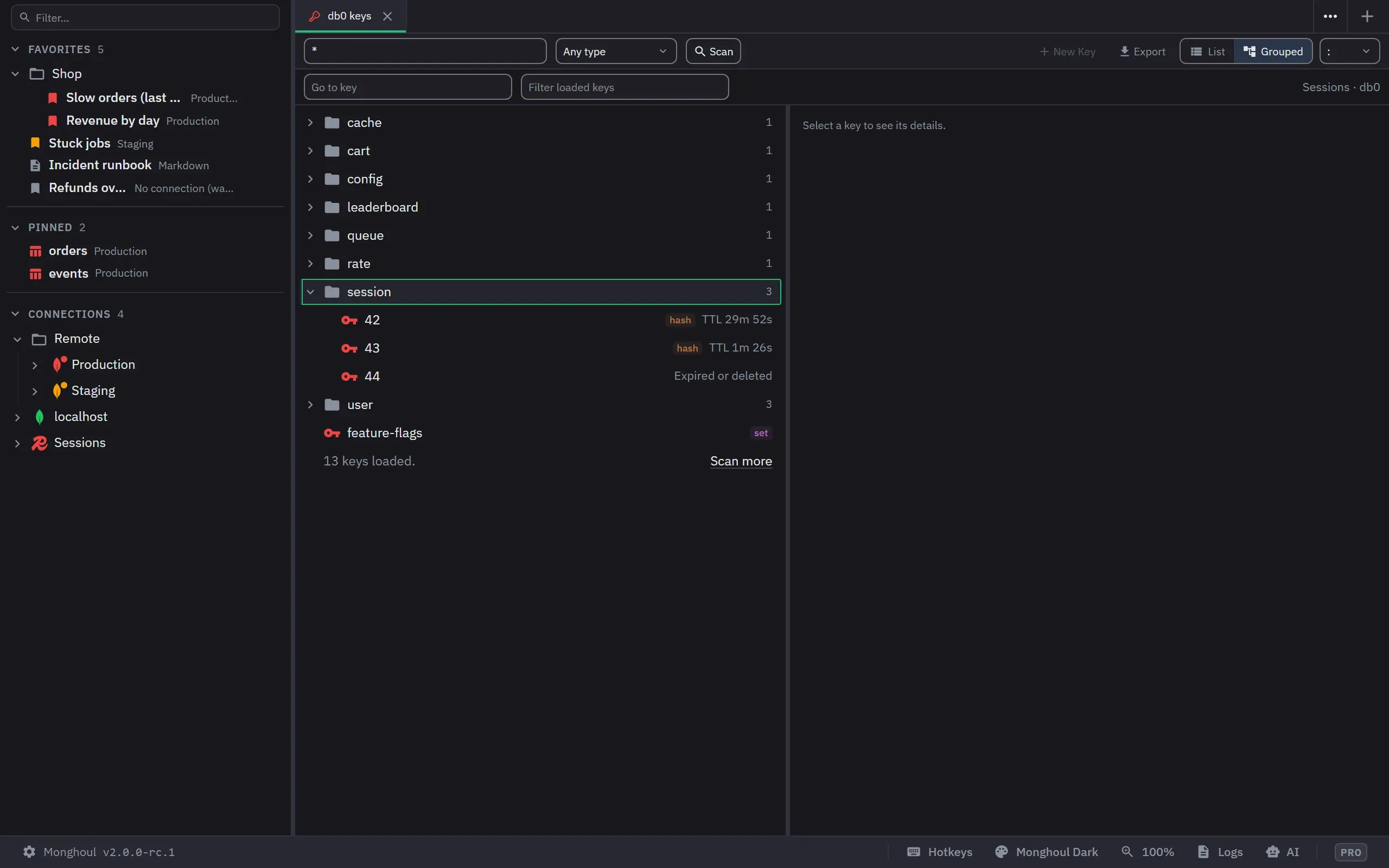
The key browser scans in batches with Stop and Scan more, and groups keys into folders on your separator, up to 8 levels. A tab holds up to 50,000 keys. Go to key opens one key by its name and never scans.
Can I edit a hash field and review it before it is written?
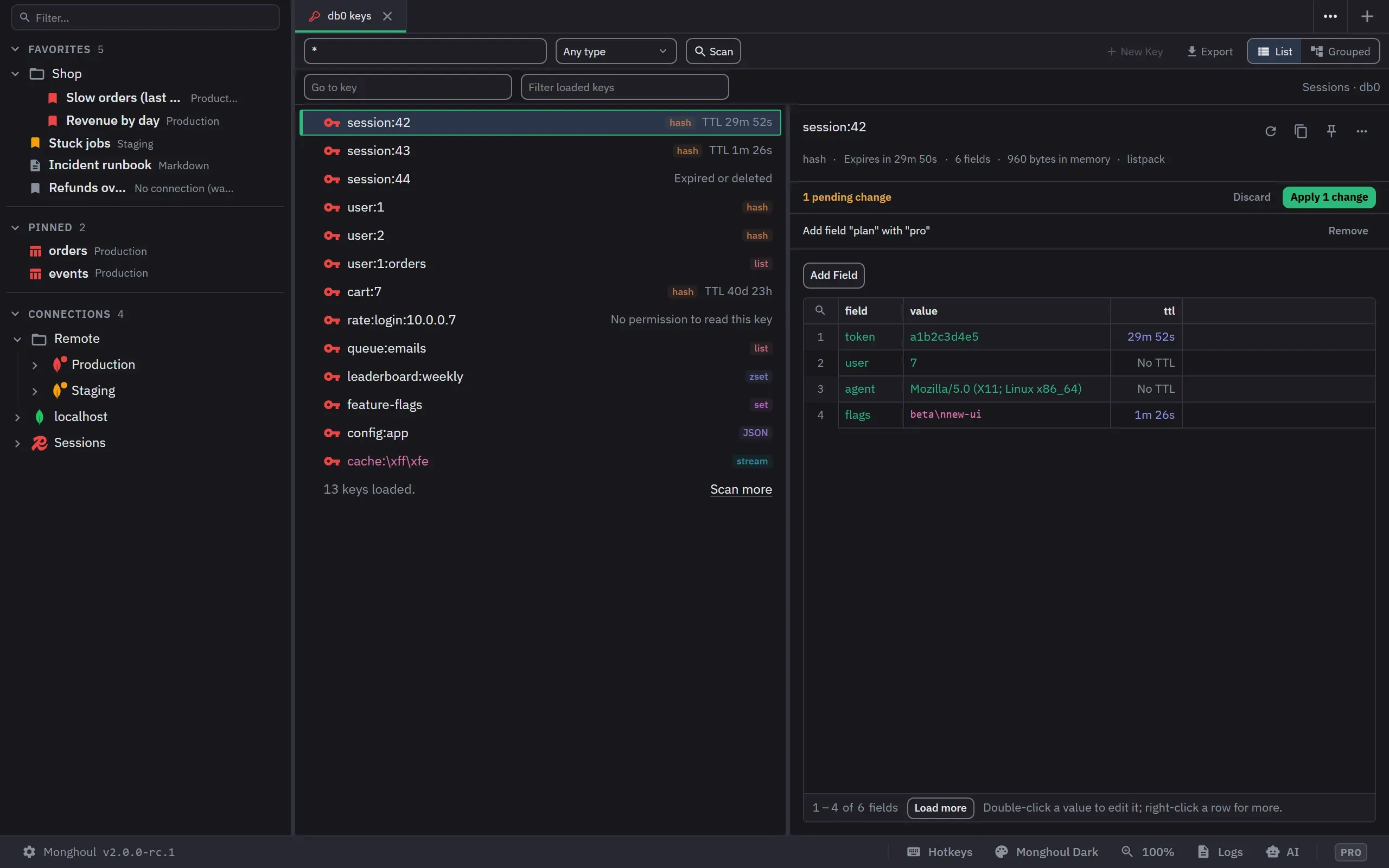
A hash value, a list item and a sorted set score edit in their cell. Each change is staged in a band with Remove, and Apply writes them in one block. A string keeps its TTL when its value is edited.
What if another client changed the key while I edited it?
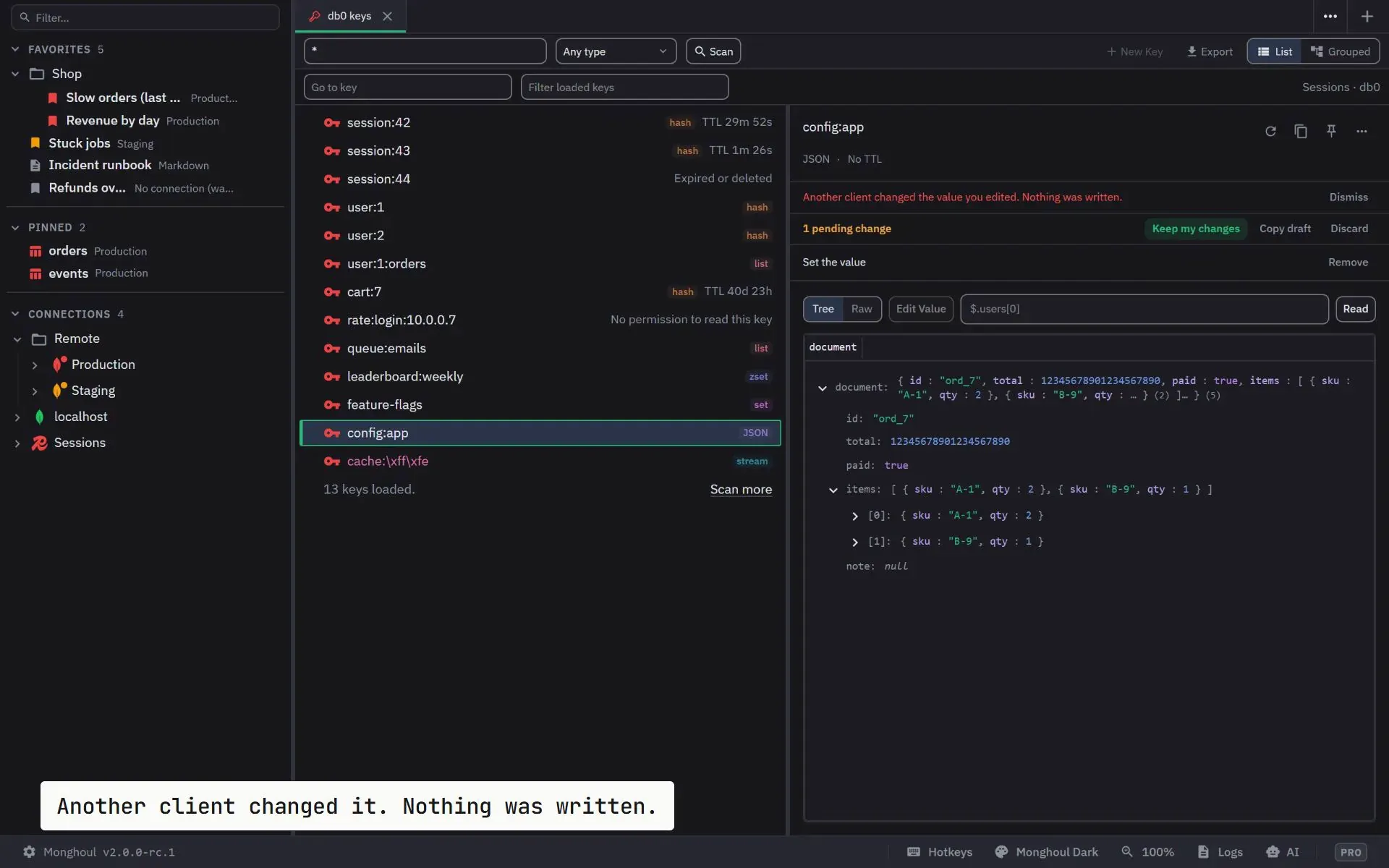
Before it writes, Monghoul checks the values it showed against the key. If another client changed them, nothing is written, and the draft stays with Copy draft and Discard. Keep my changes applies them to the new values only after you Apply again.
Does the console ask before a destructive command?
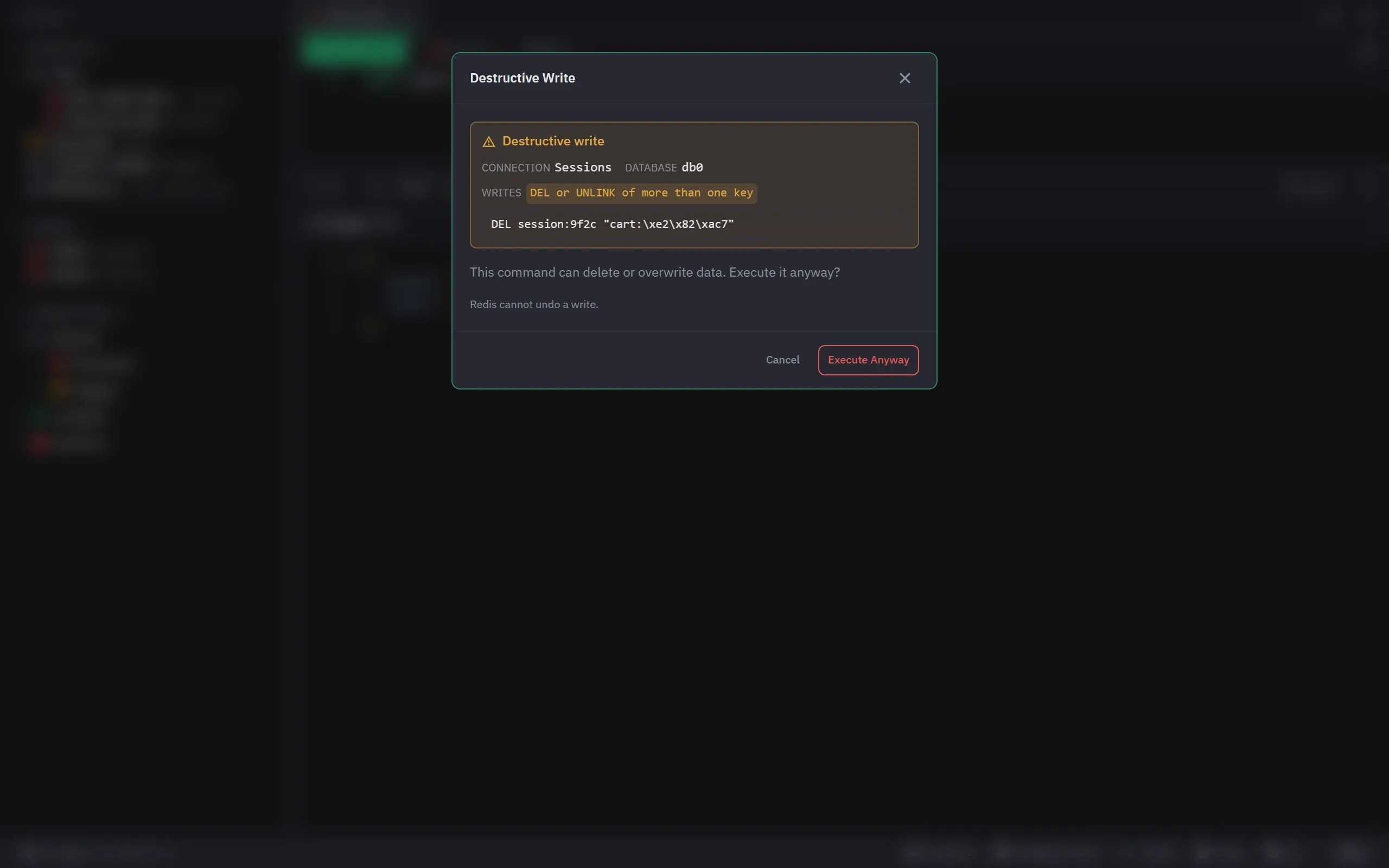
Yes. DEL of more than one key, a RENAME onto a key that exists, a trim, an EXPIRE that deletes the key at once and a SET over a key of another type ask first, with the reasons and the exact command. KEYS is refused, with what to use instead.
Can I delete or expire many keys at once?
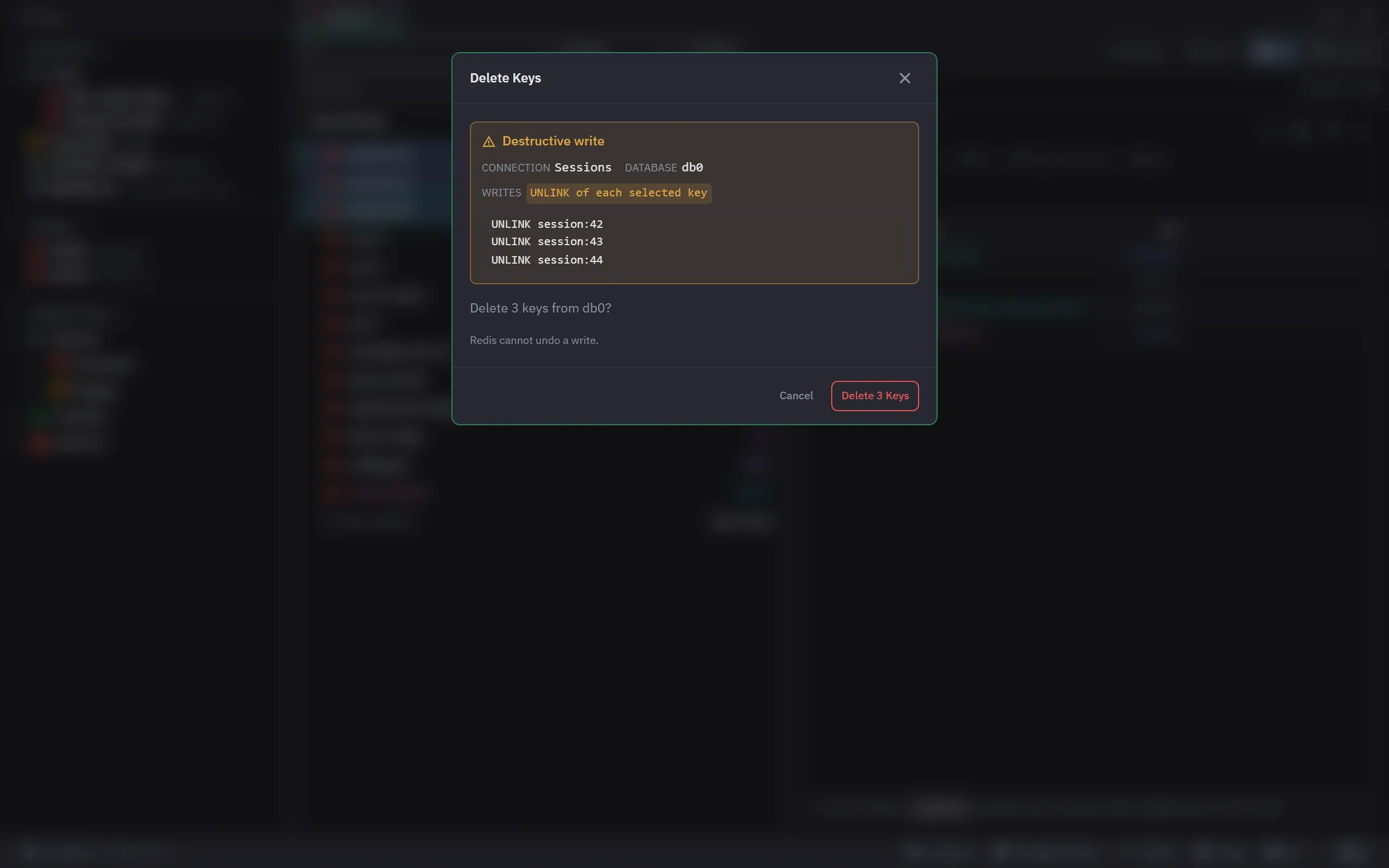
Select keys, or use Delete Keys Matching Pattern. The confirm names the count, the connection and the database, and shows the first keys with the command each one gets. A key you may not write is refused alone, and the bar counts what was written.
Can I see memory, hit ratio and the slow log?
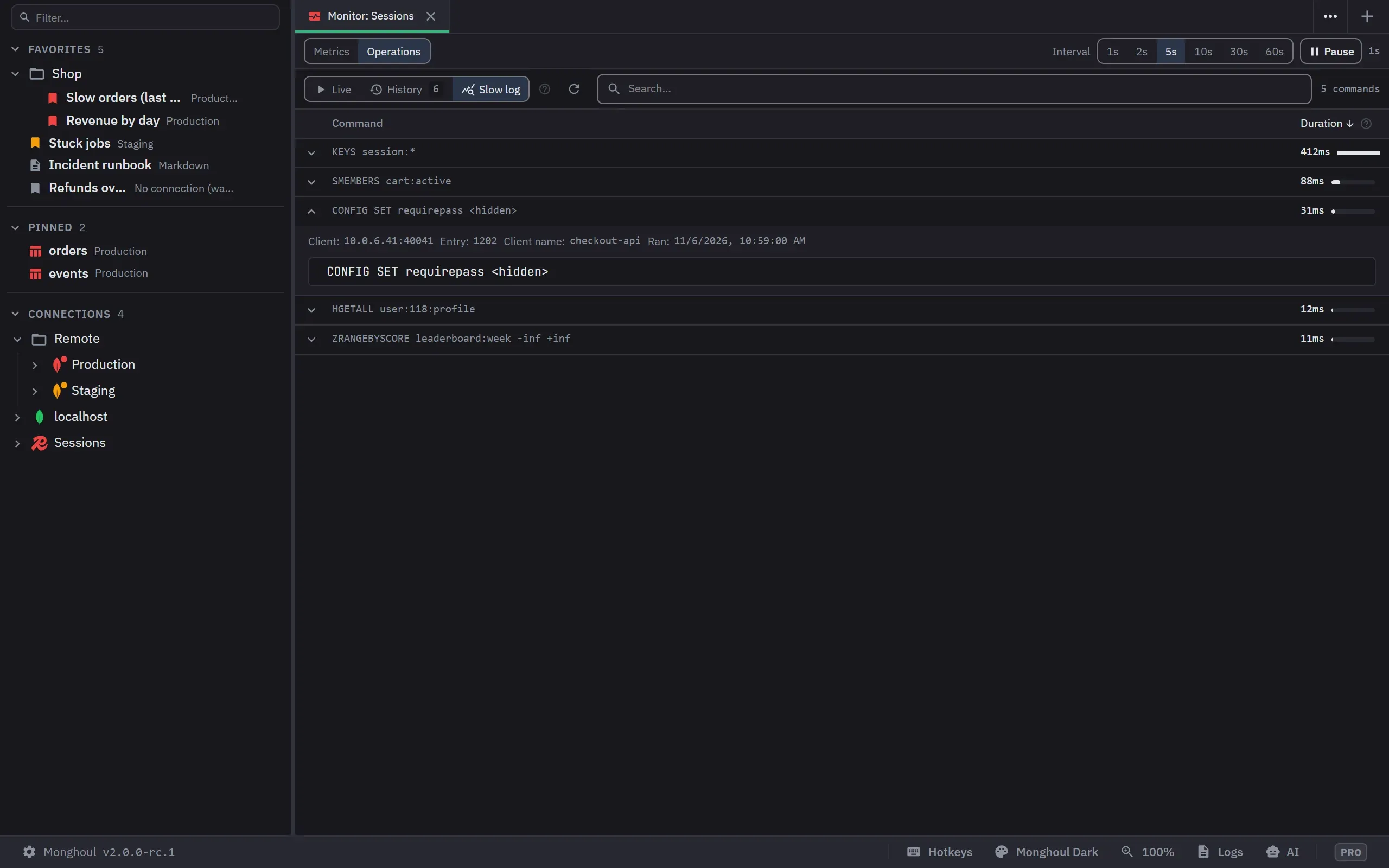
On Pro, the Cluster Monitor reads on its own connection and rates memory against maxmemory, the hit ratio, clients and persistence. Slow log lists SLOWLOG with passwords hidden, and Kill disconnects a client by its id and address.
Connecting to Redis
- Redis 6.2 or newer, or Valkey. Test Connection says when a version is not tested.
- A cluster node and a Sentinel are refused at Test Connection, each in its own words.
- Host, port 6379 and database 0 by default, an optional ACL user, or Paste URL with a
redis://orrediss://URL. - TLS with the system CAs or a CA file, a client certificate and key, and an SSH tunnel.
- With TLS off to a host that is not this computer, the form warns that the password and the data are not encrypted.
- A key separator for the grouped list, a scan batch size and a command time limit.
What it does not do on Redis
- No Explain, no Database Map, no Generate Data and no Schema window.
- KEYS is refused in the console, because it reads every key.
- A cluster node and a Sentinel are refused at Test Connection; the Cluster Monitor reads one node.
- Export keys leaves out hash field expiry times and stream groups.
Shared with the other engines
The same windows as on the other engines, with Redis's words and limits. Compare all five.
- Edit values in place · in the key editors
- Import a file · Import keys
- Export · Export keys, on Pro
- Cluster Monitor · Pro
- AI assistant access · Pro
- Write protection
- Operation logs
- Not on Redis: Explain a query, Database Map, Manual commit, Generate test data, Schema from a sample.
Redis questions
Does Monghoul work with Valkey?
Yes. Monghoul connects to Redis and to Valkey with the same connection form. Test Connection names the server and its version, and says when a version is not tested.
Can I export Redis keys to a file and import them back?
Export keys, on Pro, writes a JSON Lines file with each key’s exact bytes, its time to live and its whole value. Import Keys, which is free, reads that file back into a database, and asks before it replaces keys that exist.
What happens to a write whose reply never came?
It is never sent again by itself. Its panel offers Check keys, which opens a console with TYPE, PTTL and one short read of each key the write names, and runs nothing until you run its lines.
Can an AI assistant run Redis commands?
On Pro, through AI access. It scans with SCAN, never KEYS. A destructive write and any write on a write-protected connection open a review, and a command that leaves the database or handles a password is refused before it reaches the server.
Point it at your Redis database
43 MB installer. Free for 8 connections, and a 14-day Pro trial with no card.