Redis and Valkey in Monghoul
A Redis connection opens to its numbered databases, each with a key browser and a command console. What they do, what is Pro, and what Monghoul refuses.
Monghoul connects to Redis and to Valkey. A connection opens to its numbered databases, db0,
db1 and on, each with its key count. Each database opens to two rows: Browse keys, which opens
the key browser, and Command console.
The connection
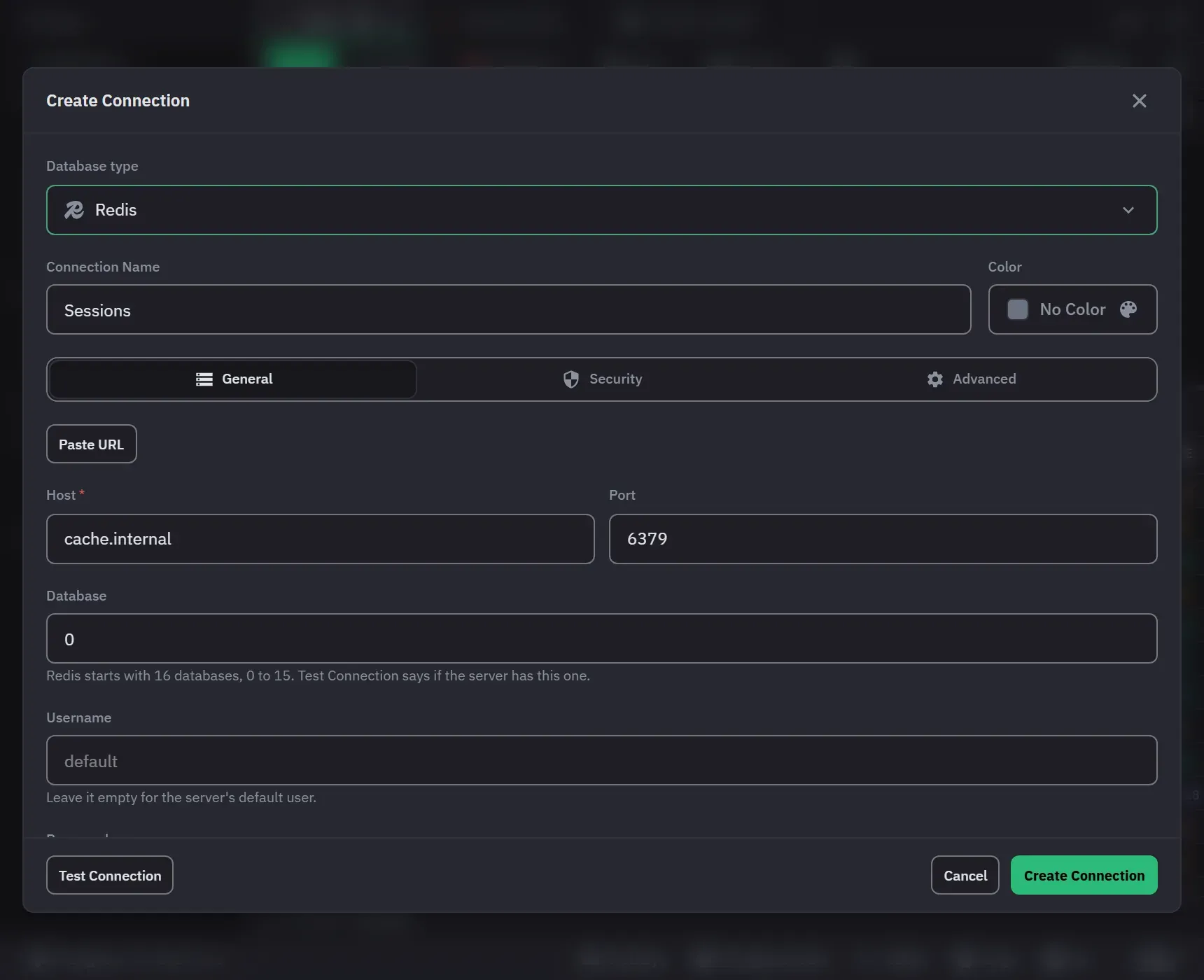
- General: host, port 6379, database 0 and an optional user; an empty user is Redis’s
defaultuser. Paste URL takes aredis://orrediss://URL:redissturns TLS on, the path is the database, and a password in the URL goes to the password field. - Security: TLS off, with the system CAs or with a CA file, a client certificate and key, and an SSH tunnel. With TLS off to a host that is not this computer, the form warns that the password and the data are not encrypted.
- Advanced: access mode, connect timeout, command time limit, the key separator for the grouped
list (
:by default), the scan batch, which databases to list, Save command results, and write protection.
Test Connection names the server and its version, the user and its role. It refuses a cluster node, a Sentinel and a server older than 6.2, each in its own words, and says when a version is not tested.
The key browser
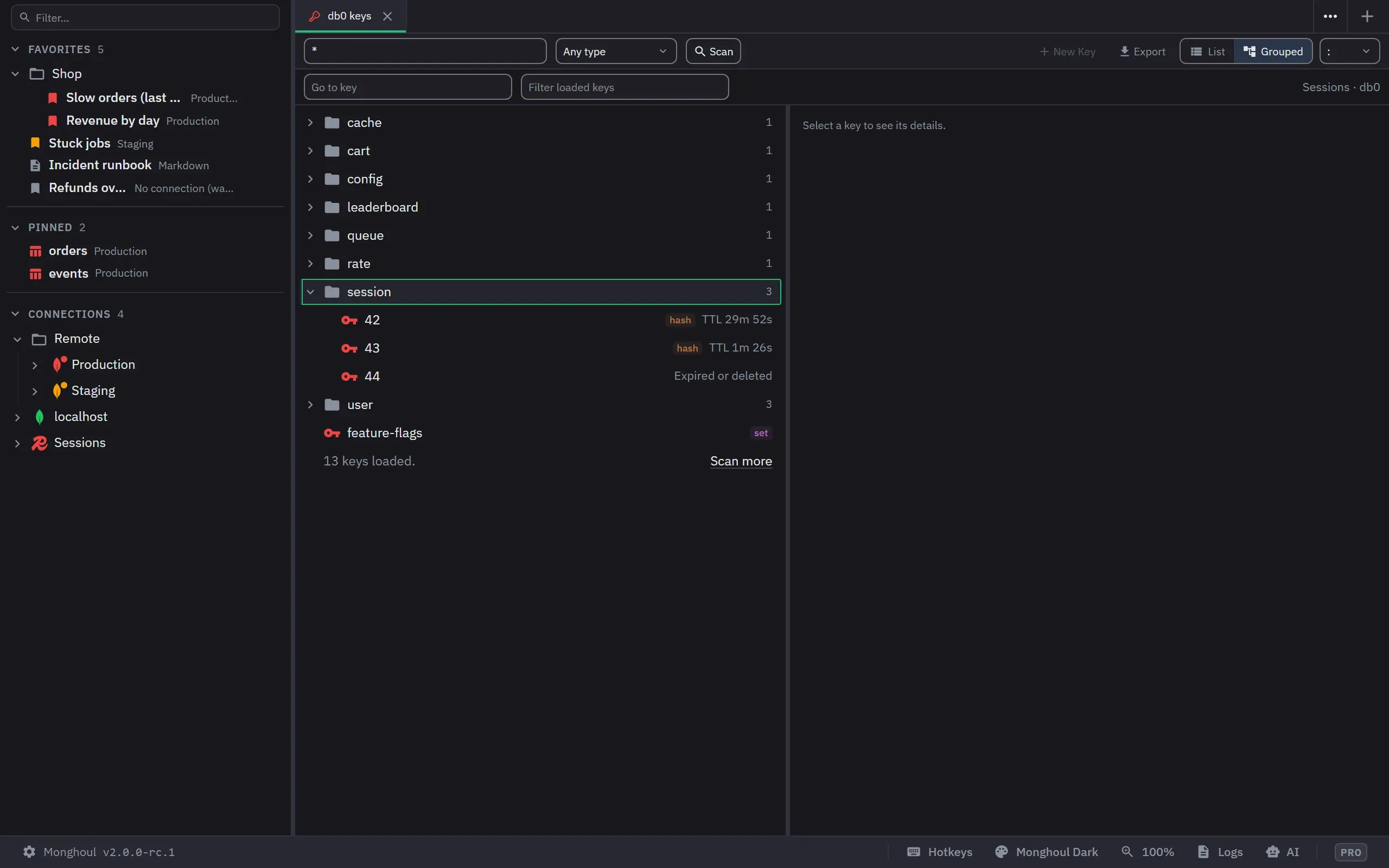
A scan reads keys in batches with Stop, and Scan more goes on from where it stopped. A pattern with
more than one * can hang SCAN on older Redis versions, so on such a server Monghoul scans without
the pattern and matches each key itself. A tab holds at most 50,000 keys. List or Grouped splits
the keys on the separator into folders, up to 8 levels.
Selecting a key shows its type, time to live, size, memory and encoding, and its value one page at a time. A string has Text and Hex tabs, and a JSON tab when it holds a whole JSON document. A hash, list, set or sorted set shows in the result grid, a JSON key as a tree, and a stream with its entries, its groups and consumers, and Stream info. The steps for edits are in Browse and edit Redis keys.
Bulk actions
With two or more keys selected, a bar offers Set TTL and Delete. Delete Keys Matching Pattern takes the filter bar’s pattern and type and counts the keys first. Every bulk action asks first, on any connection, and the confirm names the count, the connection and the database, and shows the first keys with the command each gets. The keys are written one command a key, so a key you may not write is refused alone.
Export and Import keys
Export keys (Pro) writes a JSON Lines file: one key a line with its exact bytes, its time to live and its whole value. Import Keys (free) reads that file back into a database. Skip keys that exist writes only free names; Replace keys that exist asks first. Hash field expiry times and stream groups are not in the file.
The command console
See The Redis console: it runs one command or a MULTI … EXEC
block, refuses KEYS, and asks before a command that can delete or overwrite data.
Cluster Monitor (Pro)
The monitor reads on its own connection, monghoul-monitor, so a slow key scan never delays a
sample. The health panel rates Memory against maxmemory, the Hit Ratio, Clients against
maxclients, Replica Lag and Persistence. The Operations view lists up to 500 connected clients,
the blocked first; Kill disconnects one by its id and its address. The identity line’s All INFO
fields link opens every INFO section your user may read.
AI assistants (Pro)
An assistant can list databases, scan keys with SCAN, never KEYS, read one key and run one command
through query_execute. A destructive write and any write on a write-protected connection open a
review. A command that leaves the database, such as SELECT or FLUSHALL, and a command that
handles a password are refused before anything reaches the server.