The Redis console
What the Redis command console runs, what it refuses, when it asks first, and how it shows and exports a reply.
Command console on a Redis database opens a tab named db0 console. The toolbar is the query
toolbar: Run command, Stop, the connection and the database list.
What runs
Run runs the command at the caret, or a MULTI … EXEC block as one. A band marks the command at
the caret, and each command has a Run button in its margin. Completion offers command names and a
container’s subcommands, each with its class: read, write or refused.
- KEYS and other commands the console does not run are refused before they are sent, with the reason and what to use instead.
- A
COUNTabove 5,000 is cut to 5,000, and aBLOCKto the time the command time limit leaves. A note above the reply says so. - A read-only connection refuses a write.
When it asks first
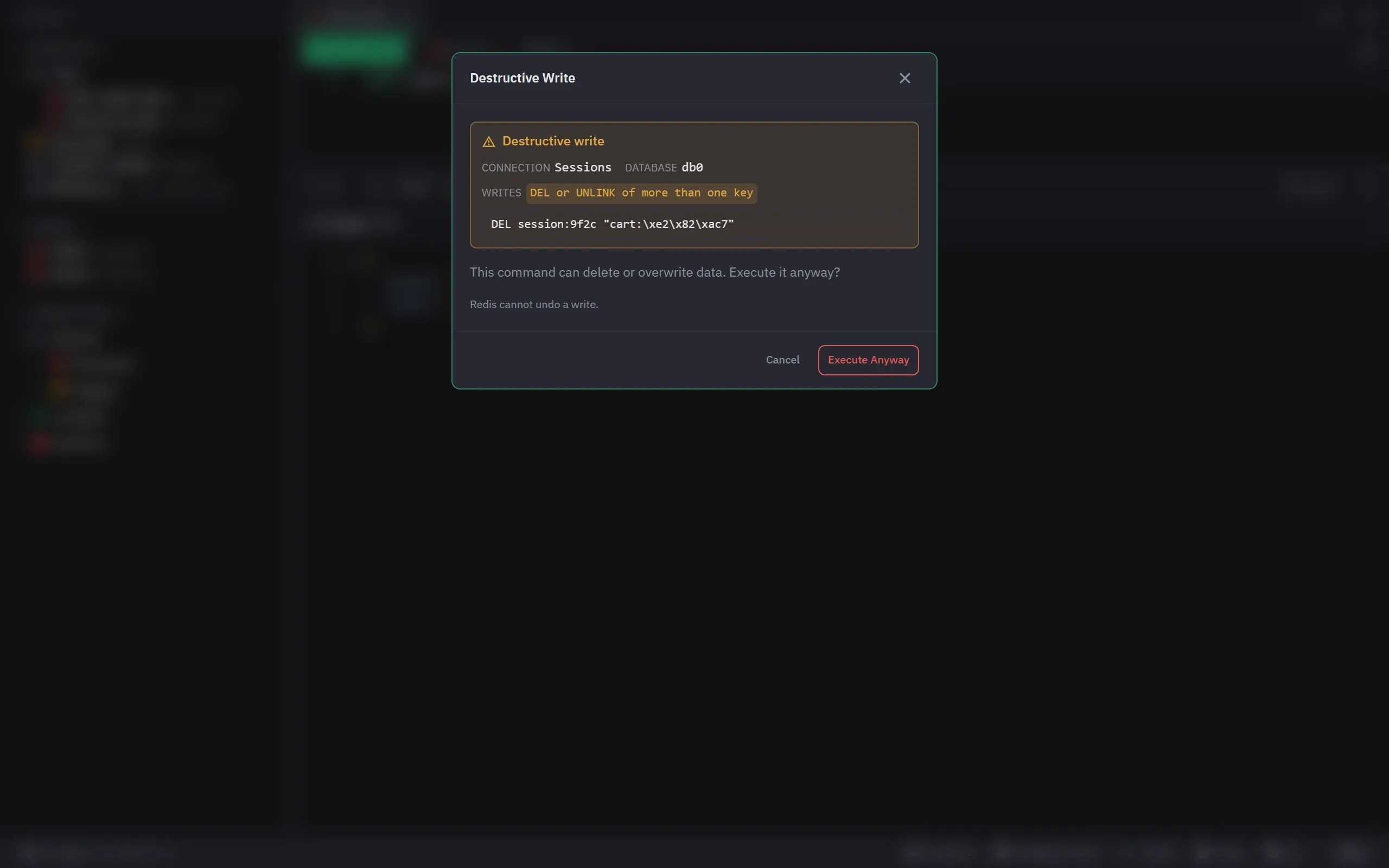
A write that can delete or overwrite data asks in the Destructive Write confirm, with the reasons and the exact command. Among them: DEL or UNLINK of more than one key, RENAME onto a key that exists, XTRIM and LTRIM, an EXPIRE that deletes the key at once, RESTORE with REPLACE, JSON.DEL of the whole document, a STORE command over a key that exists, and SET over a key of another type. A write-protected connection asks for every write. Cancel sends nothing.
The reply
| View | For |
|---|---|
| Table | a flat reply, as entry and value columns |
| Tree | a reply that nests |
| JSON | the exact reply, bytes that are not text as base64, every digit of a number |
| Chart (Pro) | a flat reply, where text that holds a number counts as a number |
A reply stops at 10,000 items in a list, 8 MiB, 1 MiB in a value and 64 levels, and a strip says
what was cut. A MULTI … EXEC block shows each reply; when a command in it failed, a warning
says the others ran and the badge says Partly failed.
Errors and unknown outcomes
An error shows the server’s words and its prefix, such as WRONGTYPE, with Copy and Retry. A write whose reply never came says “Write outcome unknown”, with Copy and no Retry, because it may have run. A write that was never sent says “Not sent”, with Retry.
Export and favorites
Export writes the reply as it is stored and never runs the command again: CSV, TSV, JSON and, on
Pro, Excel for a flat reply, and JSON for any other. The toolbar’s star saves the console’s text as
a favorite. A text with a line that sends a password, such as AUTH or CONFIG SET requirepass, is
never saved, and the refusal names the line.