Browse and edit Redis keys
Scan keys by pattern, open one, stage changes to a hash, list or JSON value, and apply them with a check against other clients.
Scan
- Open a Redis connection in the sidebar, then a database, then Browse keys.
- Type a pattern in the filter bar, such as
session:*, and choose a type if you want only one. - Click Scan. Keys load in batches with Stop; Scan more goes on from where it stopped.
Monghoul uses SCAN, never KEYS. To open one key without a scan, use Go to key and type its name
as the list shows it, with \xNN for a byte that is not text.
Read a key
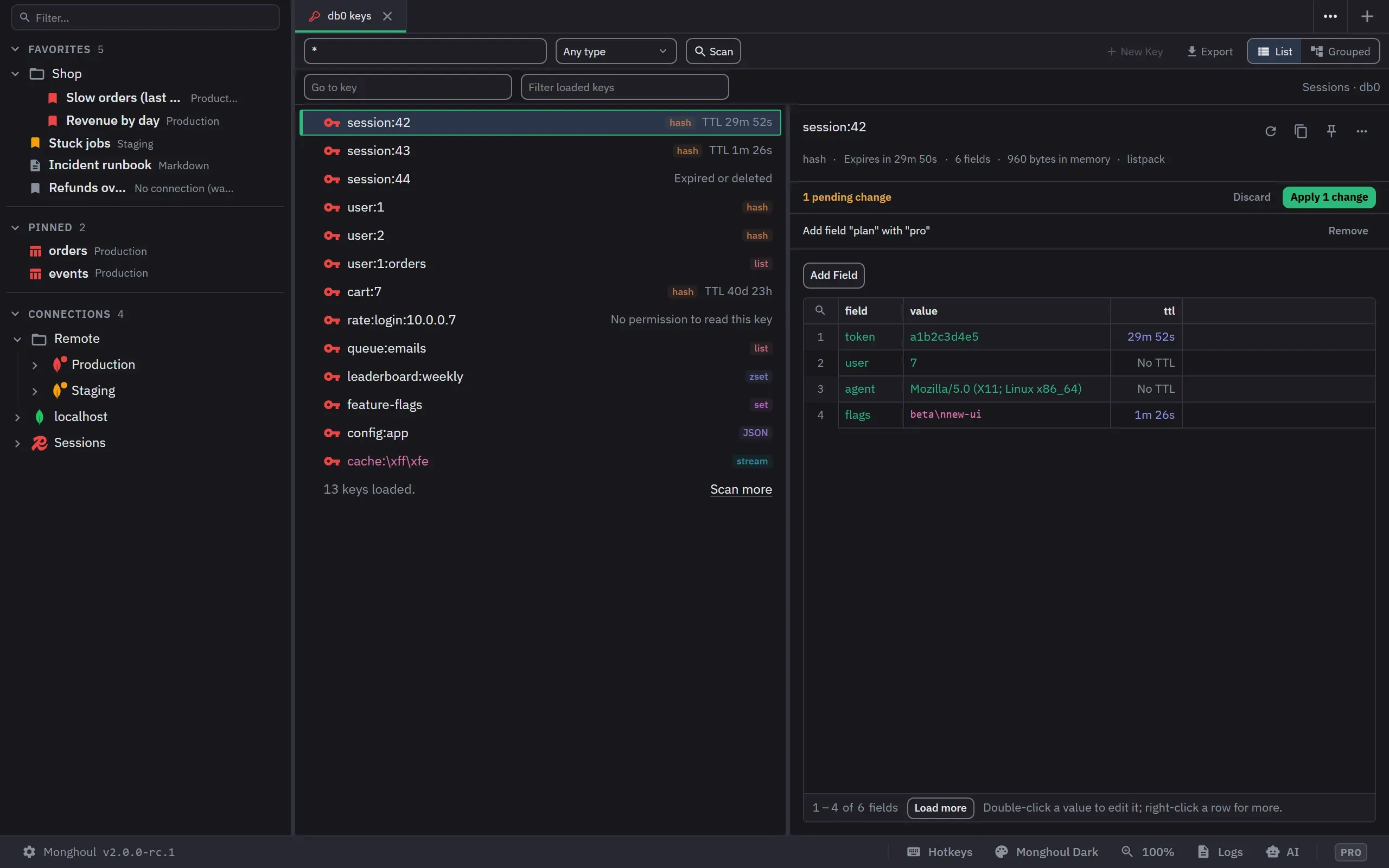
Select a key. The details show its type, time to live, size, memory and encoding, and the value one page at a time, with Load more. The time to live counts down while the tab shows.
Edit a value
- Double-click a hash value, a list item or a sorted set score to edit it in the cell. Enter stages it and Escape cancels.
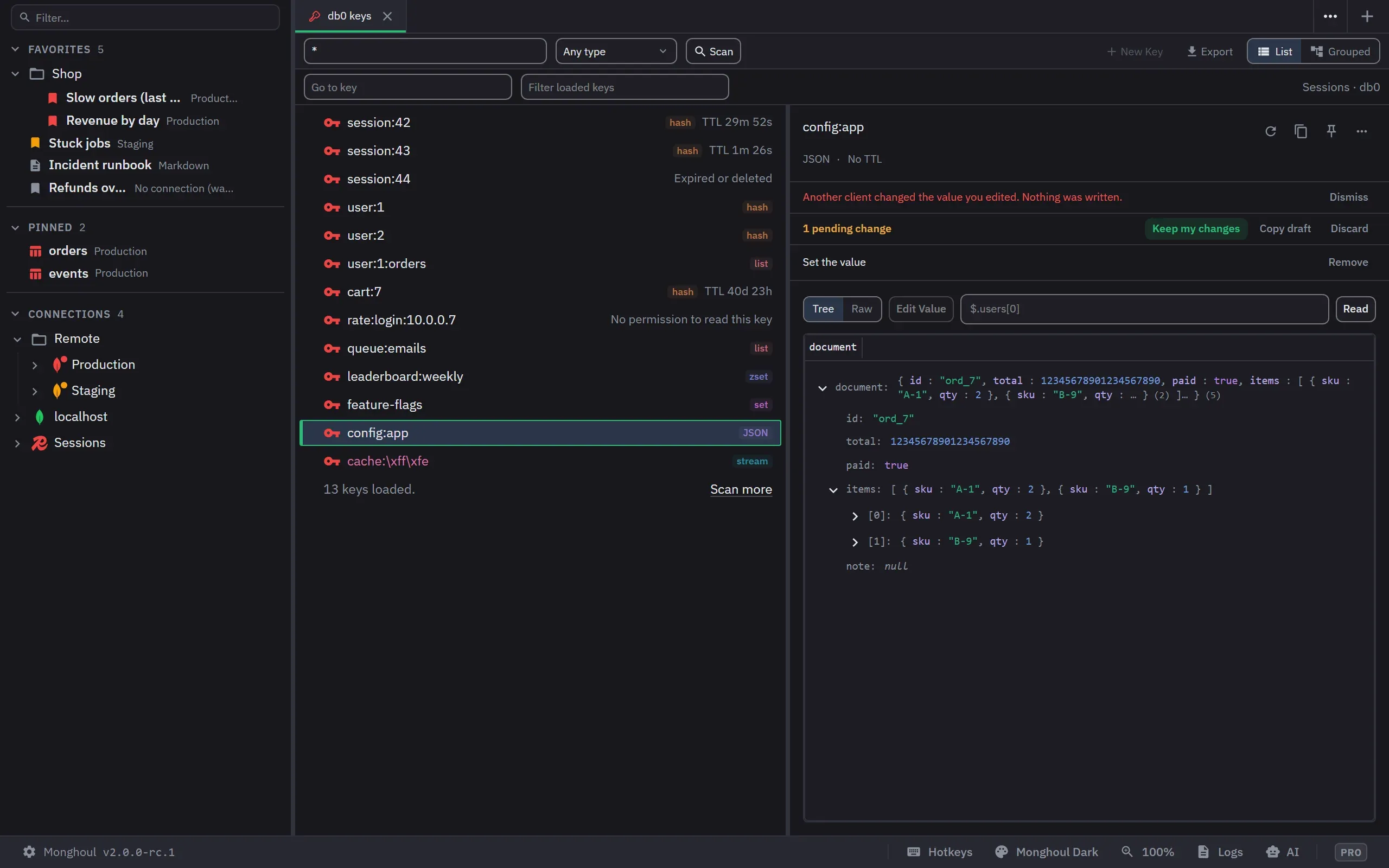
- Use the buttons over the value for Add Field, Add Member, Add Entry or a whole value’s Edit Value. A JSON document opens pretty-printed and is written back compact.
- Each change shows in the band over the value, with Remove. Nothing is written yet.
A value that is not text, a cut value or a value of 256 KiB or more is edited in the console, and the action says so.
Apply
Click Apply. Monghoul first checks the values it showed against the key. If another client changed them, nothing is written: each staged line shows the value now, and the band offers Copy draft and Discard. Keep my changes applies your changes to the new values, and writes only when you click Apply again.
A draft that removes the last field of a hash says that Redis then deletes the key. A string keeps its time to live when you edit its value.
Expire, rename or delete
Set TTL takes seconds, minutes, hours or days, up to ten years. Rename never overwrites a key by itself: a taken name asks with Replace. Delete always asks. To act on many keys, select them and use the bar’s Set TTL or Delete; the confirm lists the first keys with the command each one gets.
Next: The Redis console.