Write protection
Why the confirmation you see is raised by reading your query but enforced at the driver, and what that difference buys you.
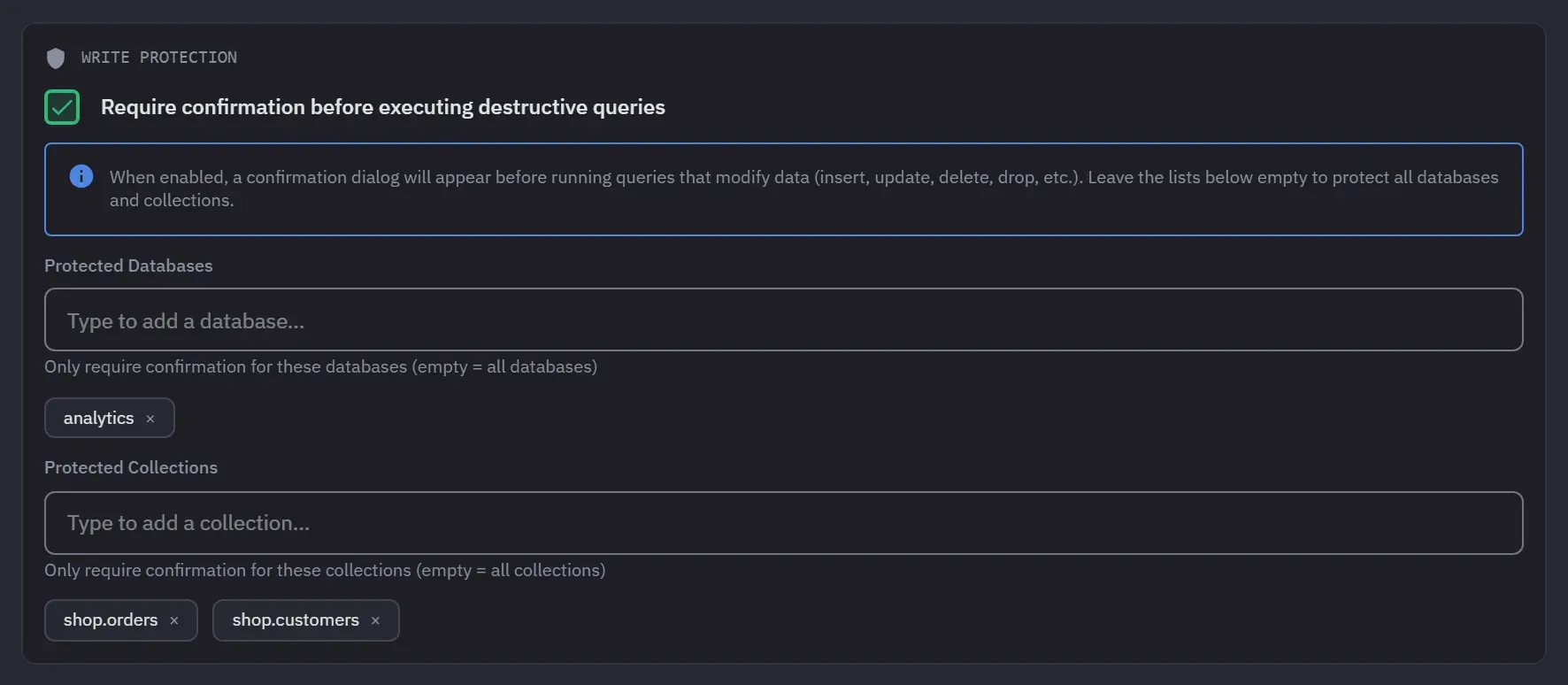
Write protection is a per-connection switch that puts a confirmation in front of every operation that can change or destroy data. It can be narrowed to specific databases and collections, so a connection can be open for writes on one database and protected on another.
How to turn it on
- Right-click the connection in the sidebar and choose Edit Connection.
- Open the Advanced tab.
- Tick Require confirmation before executing destructive queries under Write Protection.
- Leave both lists empty to protect the whole connection. To narrow it, type a database name under Protected Databases, or a collection name under Protected Collections, and pick it from the list. Each one becomes a chip you can remove.
- Press Save Changes.
A collection entry is a bare name. It matches that name in every database of the connection, so
orders protects shop.orders and archive.orders alike. A write is protected when either its
database or any collection it names matches. Everything that matches neither list stays open for
writes.
An action on a whole database, such as a drop or a rename, counts as protected as soon as the connection lists any collection. A database action destroys every collection in it, and Monghoul cannot know first that none of them is on your list.
The Advanced tab marks itself with a dot when it holds non-default settings, so you can see from the tab strip that a connection has protection without opening it.
What you will see
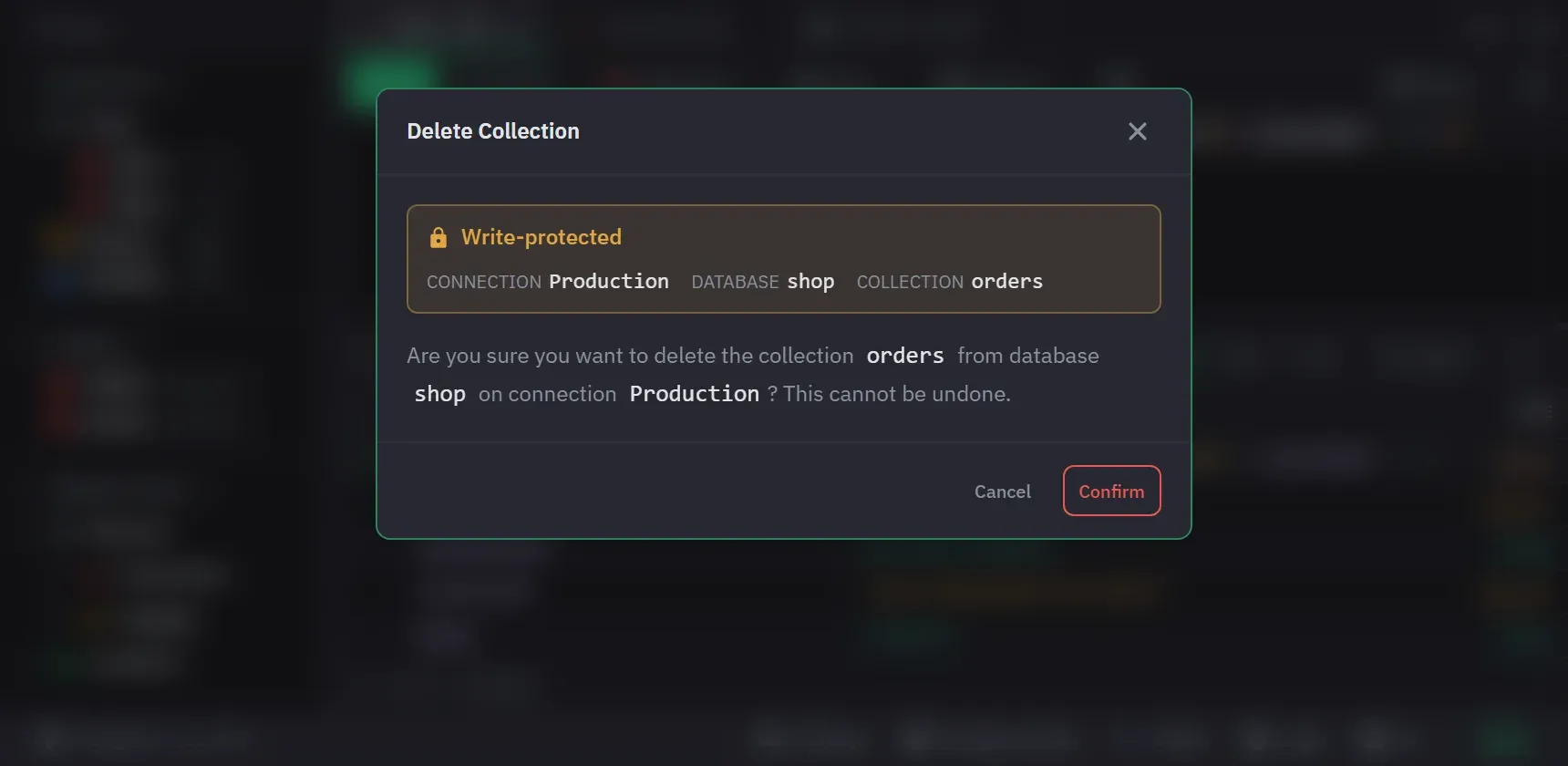
When you run a query that writes to protected scope, a dialog titled Write-Protected Connection names the connection, the database, the collection and the operations it found. The buttons are Execute Anyway and Cancel. Cancel runs nothing. Execute Anyway approves that one run only.
If a write gets past the text check, the driver refuses it with a message like this one:
Write protection blocked: dropDatabase on “shop”. Connection “Production” is write-protected.
Nothing reaches the server. To allow such a call, change the protection in Edit Connection.
What it covers
Inserts, updates, deletes, bulk writes, collection and database drops, renames, index changes, and
aggregation stages that write, which means $out and $merge. Copying a collection into a
protected target asks the same question, and so does duplicating a database.
From 1.12.0 it also covers creating. Making a database or a collection inside protected scope asks first, even though it destroys nothing, because a connection you marked protected should not accept a write without a word.
Protected connections, databases and collections are marked in the sidebar and in previews, so you can see the state without opening anything.
The part that matters
There are two different things happening, and the difference is the whole point.
The confirmation is raised by reading your query. Monghoul parses what you typed, works out that it is destructive, and asks. That is what gives you a useful message naming the collection and the operation.
The block is enforced at the driver. Reading text is not a security boundary. A query can build its operation at runtime, out of a variable, in a loop, from a value the editor never sees. So the refusal does not depend on the parse succeeding: the driver layer itself refuses the call.
The practical consequence is that a destructive call the text could not reveal is still refused when it runs. If protection depended on the parser, this would be the exact shape of query that gets through, and it is also the exact shape of query people write when they are in a hurry.
What it is not
Write protection is not a permission system and it does not change what your MongoDB user can do. If
the credentials you connected with can drop a collection, they can still drop it from mongosh.
This protects you from yourself inside this app.
The same caveat applies to database and collection filters in the connection settings. Those are organizational: they hide things from the tree. They do not change MongoDB permissions and they do not stop raw query code from naming a hidden collection.
For a real boundary, use a MongoDB user with the roles you actually want. Users and roles covers managing those from inside the app.
Recommended setup
Give every production connection write protection and a colour. The colour propagates to the tab
strip, so the tab itself tells you where you are before you press Ctrl+Enter.