Make a custom theme
Generate a whole theme from one brand colour, then adjust the parts you care about, and share it as a file.
There are 11 built-in themes and you can use one and stop reading. Every one of them meets WCAG AA on every surface it paints, which is 4.5:1 for text and 3:1 for non-text indicators such as chart series.
If you would rather watch the whole procedure than read it, this is it end to end: four of the built-ins taken one after another, then a theme generated from one brand colour and a hand-picked background, one token adjusted, named and saved.
Generate from one brand colour
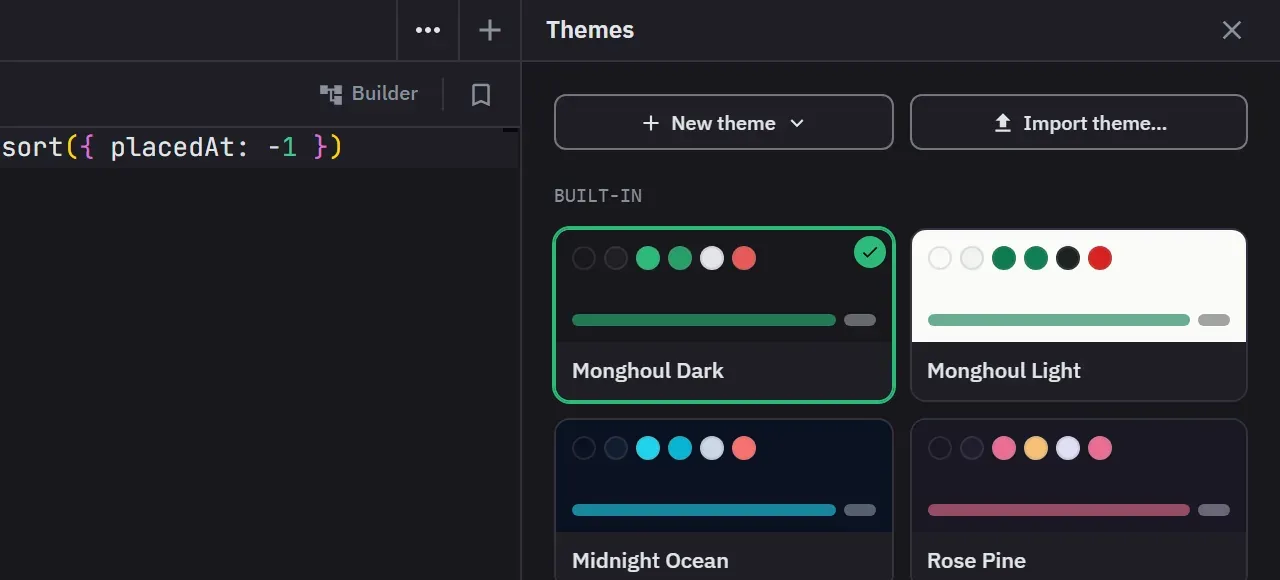
Open the theme editor with Customize Themes… in the status bar’s theme menu. It opens as a library. Clicking a theme applies it. Each theme’s menu holds Duplicate and Export, plus Customize a copy on a built-in theme or Edit on a custom one. A custom theme’s menu also has Delete, which asks before it deletes.
New theme opens the form. It asks for one colour, Brand, and derives the rest from it. Ten swatches under the field give you a start, and Surprise me picks a random brand, style, accent and surface. While you pick, the whole app, the code editor included, shows the theme the form would generate. Clear Live preview to stop that. Nothing is saved until you save.
Then choose the rest by eye:
- Base is Light, Dim, Dark or Black, and sets how deep the background goes. It starts from the system appearance.
- Style is Balanced, Vibrant, Soft, Tonal or Mono. Each tile shows the theme in that style, painted from your brand.
- High contrast raises text, the brand, the status colours, the type labels and the JSON syntax colours to at least 7:1 on the two main surfaces.
- Under More options you can pick the accent (Analogous, Complementary, Triadic or your own colour), the surfaces (Brand tint, Warm, Cool, Neutral grey or your own background) and the text colour. Each one stays on Auto until you pick it.
Choosing another base drops a background or text colour you picked, and derives both again.
Chart series are guaranteed distinguishable from one another within the generated theme, so a stacked chart stays readable rather than turning into two similar greens.
Every derived colour is fitted to the same contrast floor the built-in themes meet, on a light background as well as a dark one. That applies to the chart series and the MongoDB type colours, and it applies again each time you press Regenerate Colors. When a colour you picked has to move to stay readable, the line under its field says so and names the colour it became.
Generate Theme opens the result in the editor. To start from a theme you already have instead, choose Customize a copy in a built-in theme’s menu. The copy is named after it, such as Nord Aurora (Custom), and a notice says that saving creates a new custom theme.
Then adjust what matters
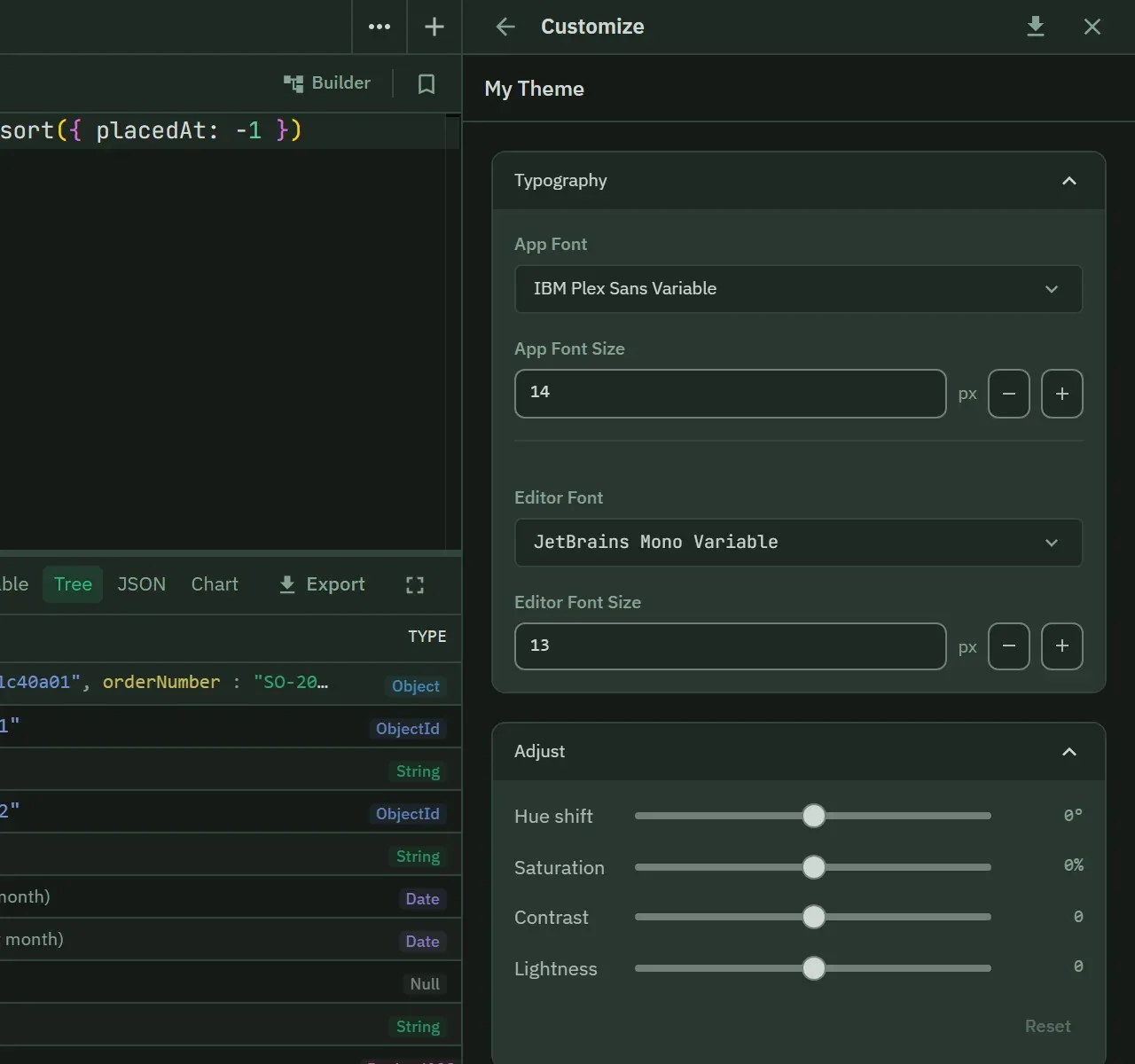
The Adjust sliders change the whole theme at once: hue shift, saturation, contrast and lightness. A hue or saturation move keeps the contrast every colour had. The contrast and lightness sliders can push text under 4.5:1, and the section then shows a warning with the measured ratio.
Hovering a colour’s swatch makes everything painted with that colour brighten and dim, which is the fastest way to find out what a colour you are unsure about controls. Each colour picker also has Pick from screen, an eyedropper, where the platform provides one.
Every edit and every slider drag is one undo step. Ctrl/Cmd+Z and Ctrl/Cmd+Shift+Z undo and redo while the focus is in the editor, so a query tab behind it keeps its own undo. Once you have made a change, hold the eye button in the bottom bar to see the active theme in place of your draft.
A custom theme covers more than the window chrome:
- App colours, and the semantic and interaction states
- The MongoDB type colours, which are the badges on
ObjectId,Date,Decimal128and the rest - Typography
- Monaco editor syntax token rules
- Result view and index badge colours
The type colours are the ones worth spending time on if you read a lot of documents. Every
built-in theme and every generated theme gives Long, Int32, Double and Decimal128 one
shared colour. Give each one its own colour here if you want to tell them apart at a glance in a
tree view.
Type a name in the Theme name field at the top of the editor first. Then save with Create & apply, or with Ctrl/Cmd+S. The button reads Save & apply when you edit a custom theme you saved before, and both make the saved theme active.
If you close the editor or go back to the library with unsaved changes, it asks you to confirm. Declining keeps your draft. Confirming restores the theme that was active when you opened the editor. On Free you can open the editor and explore it, and saving opens the upgrade prompt.
Share it
Export the theme as a JSON file and import it elsewhere. This is how a team ends up on the same colours without anyone reconstructing them.
Export is on each theme’s menu in the library, and the button in the editor’s header exports the draft you have open. A notification gives the path of the file. Import theme… in the library opens the file as a new unsaved theme, and adds a number to its name if that name is taken. Press Create & apply to keep it.
Changes apply instantly
No restart. That is also true of switching between built-ins, so trying all 11 costs nothing.
Next
- Themes and appearance reference
- Interface and display for zoom and date display