Updates, privacy and support
Automatic updates, what leaves your machine, and where your data is kept.
Updates
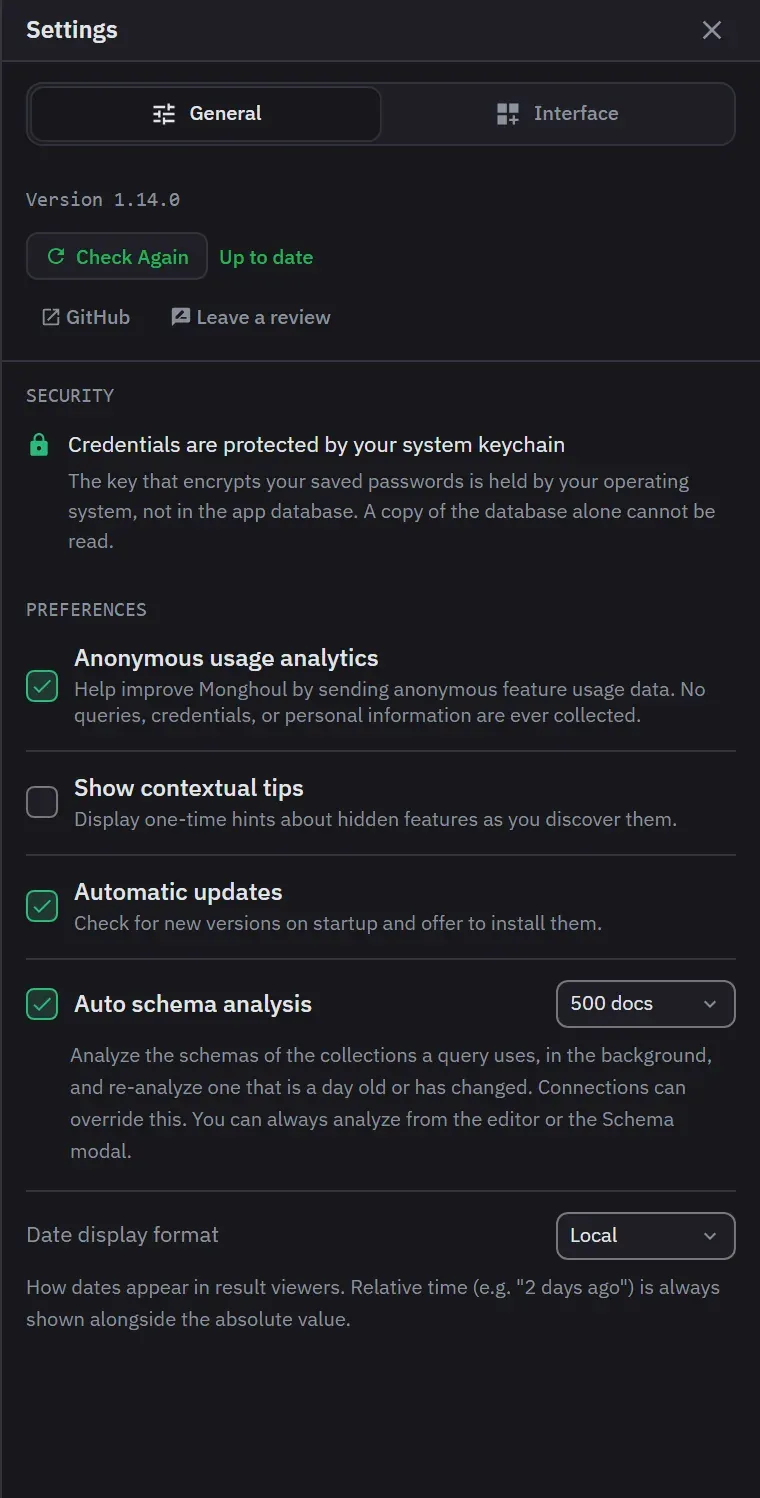
Monghoul checks for an update shortly after launch, once per session, while Automatic updates is on. It is on by default. A banner across the top of the window names the version and offers Update & Restart. You can dismiss the banner for the session. It returns on the next launch while the update is pending. While the update installs, the banner shows that and offers no dismissal. A failed install turns the banner into an error and offers Retry.
Installing is one click on Windows and macOS, and the app restarts itself. The first launch after a version change opens the release notes in a note tab. Settings, on the General tab, also has a Check for Updates button that works when Automatic updates is off. It reports Up to date, Check failed, or Install with the new version. A failed check shows only there, with no notification.
On Linux it depends on how you installed. The AppImage updates in place, the same one click and
restart as the other platforms, because the in-app updater needs an AppImage and 1.12.2 is the
first release to ship one. Installed from the .deb or the .rpm, the banner tells you a release
is out and the install is not in-app: download the new package from the releases page and install
it with your package manager.
On Flatpak, the app does not check for updates at all. Flatpak owns the install, which is read-only,
and flatpak update moves the version. No banner appears, and Settings says that updates come from
Flatpak and offers no action.
The footer
The footer is the route to settings, updates, the repository, current operations, shortcuts, themes, zoom, logs, AI activity and licensing.
Its AI control carries the number of requests waiting for a decision and opens the AI panel. Notifications for successful, failed, informational and warning outcomes appear without blocking what you are doing, and status or settings changes made in one window reach the others.
What is reachable from outside
The local application service and the AI service both listen on loopback only and are token-authenticated, so neither is reachable from another machine.
Connection credentials and the AI access token are encrypted at rest with a key your operating system holds, which means copying the database file to another machine does not carry them with it. On macOS and Linux the data folder and the database file are owner-only. Where your credentials are kept has the detail.
When something goes wrong
A failed optimistic change rolls back to the last confirmed state rather than leaving the screen showing something the server never accepted.
A component failure gives a recoverable fallback with a diagnostic export and a support contact.
Feedback and telemetry
Settings links to the public repository for bugs and feature requests, and to a public discussion thread where a review is left as a comment. The thread says that a review may be quoted on this site, with the name of whoever wrote it and a link back to the comment.
Anonymous telemetry is the Anonymous usage analytics switch. It is on by default, you can turn it off on first launch or in Settings, and turning it off takes effect at once with no restart. It records product usage, lifecycle events, the operating system and version, the processor architecture, the app version, the license tier and plan, a session identifier and a hashed device identifier. It never includes connection strings, database or collection names, query text, document contents, credentials or file paths. Durations and counts are recorded as ranges, and an error is recorded only as a category.
Update checks fetch a version manifest and carry no telemetry. A license check sends the license key, the hashed device identifier and a device name. The device name is the machine’s hostname with its operating system and architecture, and it names the device in your device list.
A diagnostics file stays on your machine. It is never uploaded. It holds recent application logs and operation-log entries, including query text and connection names, so review it before you send it to anyone.
The Privacy Policy, the Terms of Service and the EULA ship with the product.
Assistive technology
The app exposes three landmark regions: the connection tree, the workspace, and the status bar.