Fix a slow query with an index
Go from a query that feels slow to the index that fixes it, using the explain view and the profiler.
1. Confirm it is the query
Run the query in a query tab. Auto-explain is on by default, so the result header shows a scan-type badge next to the count and the timing. Hover the badge for the plan: scan type, index name, documents scanned and documents returned. Hover the timing to see the connection time, the query time and the server time apart. A slow total with a short query time points at the network or the connection, not at the index.
Monghoul gets the plan by running the read a second time, which is why it skips anything that could
write, multi-statement code, and a query that already calls .explain(). A plan has one of four
grades: collection scan, indexed, optimal, or ungraded. If the query used an index and is still
slow, the grade is indexed rather than optimal: the index exists but is not selective, and
step 3 still applies. To turn auto-explain off, clear Auto-explain on the connection’s
Advanced tab.
2. Read the plan
Click Explain in the query toolbar, or switch the result to the Explain view. The toolbar
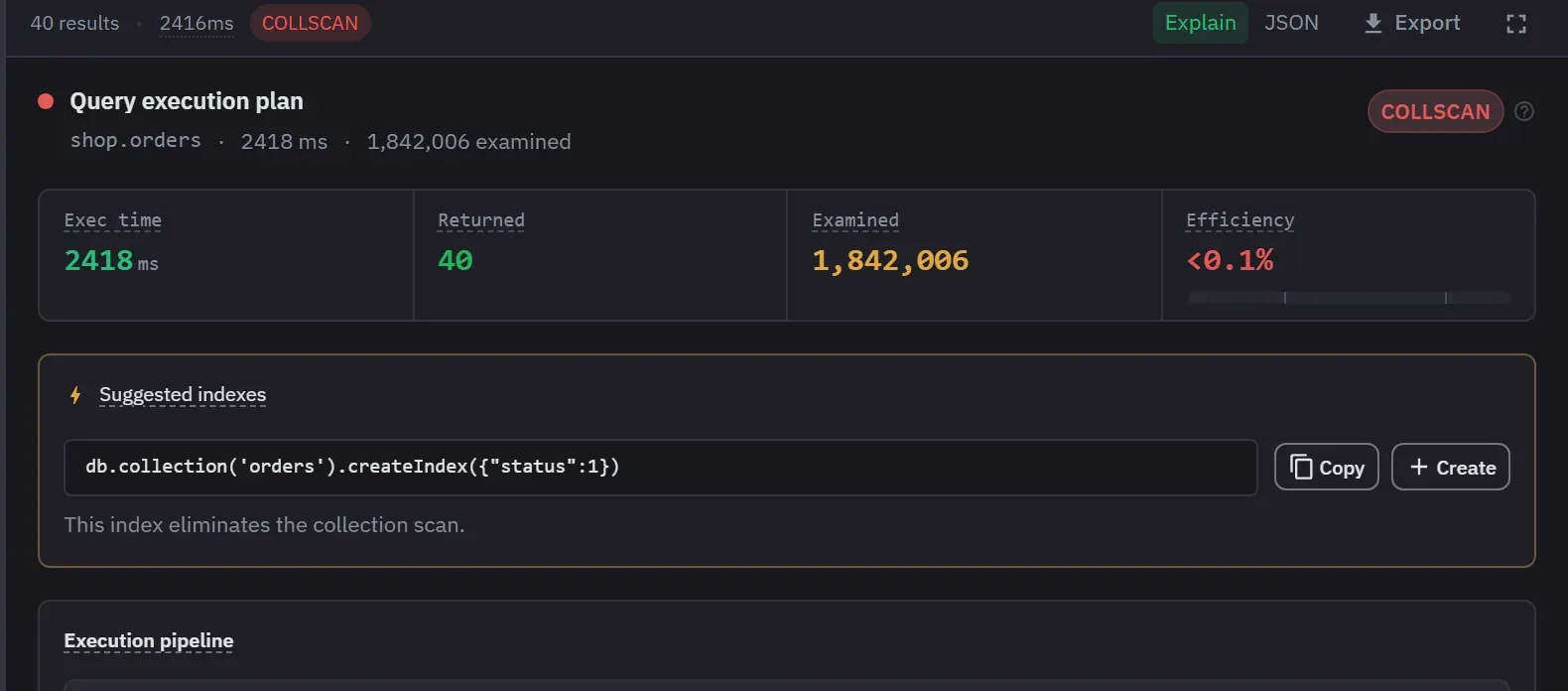
button adds .explain() without changing your code. The number that matters is documents examined
against documents returned. Examining 1.8 million to return 40 is under 0.1 percent efficiency, and
that is the shape of query that works on a laptop and fails in production two quarters later.
Watch for a sort that happens in memory. A query can use an index to find its documents and still sort them afterwards, and an in-memory sort has a server-side limit it will eventually hit. The view lists these as warnings.
3. Take the suggestion, then read it
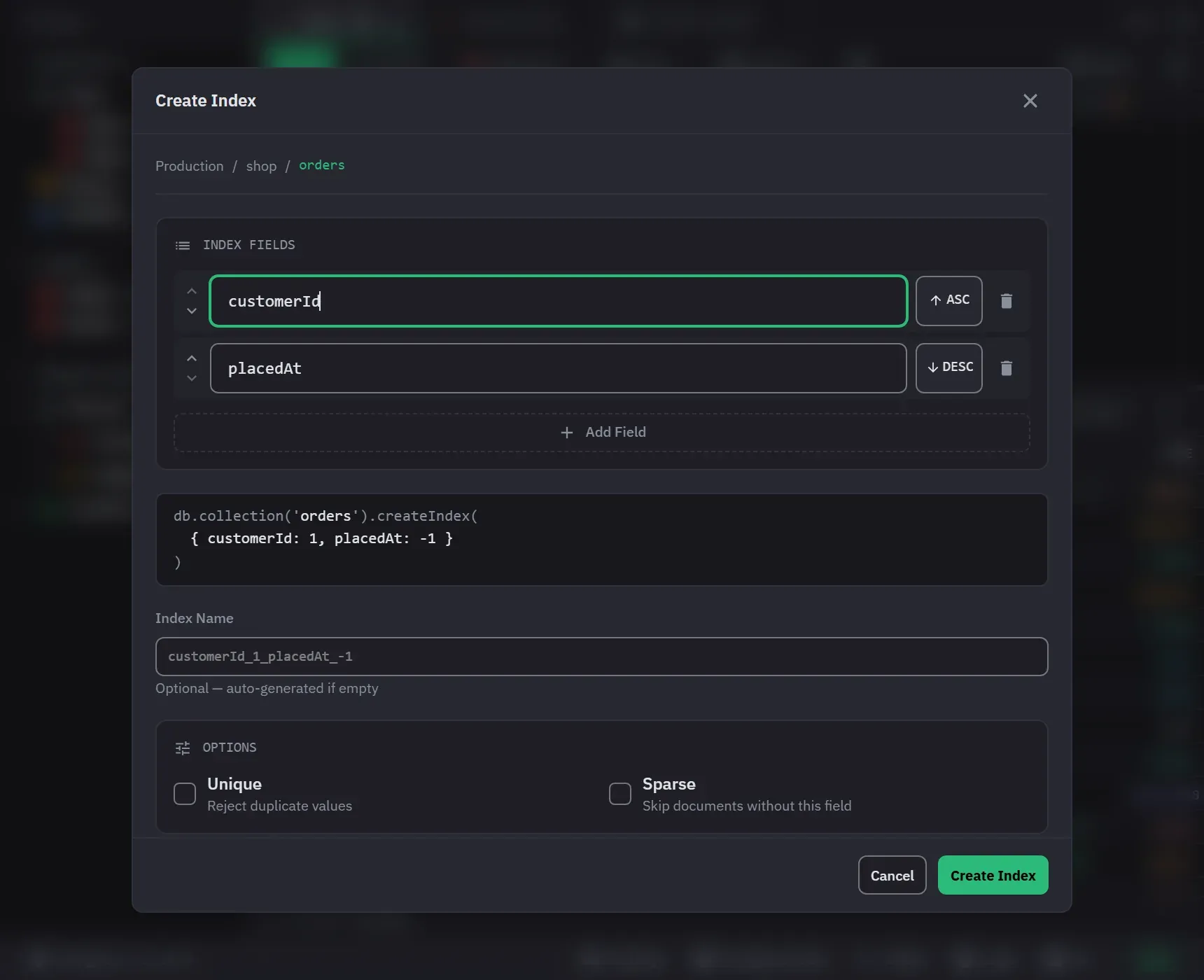
When an index would remove the scan or the in-memory sort, the Explain view lists a suggested index
with its createIndex call. Copy puts the command on the clipboard. Create opens the Create
Index form with the fields filled in, and nothing is created until you confirm there. The fields are
already ordered by the ESR rule, which is equality first, then sort, then range.
Read it before you accept it. The suggestion comes from this one query, and every index costs write
throughput and disk on every insert. When the suggestion targets another collection, as a $lookup
can, it says so and fills the form for that collection.
Run the query again. The scan-type badge should now name the index, and the grade should move to optimal. If it does not, the index does not match the filter and sort of the query. Compare the index keys with the plan.
4. Check what you already have
In the sidebar, expand the collection and hover its Indexes row. The card lists the indexes
with the total size and the total operations. Hover one index for its keys, its flags, its size and
its usage count from $indexStats. The count is green when the index is in use and muted when it is
not, with the time usage tracking started. A deployment that does not report usage shows no count.
An unused index on a write-heavy collection is pure cost. This is the screen that tells you which ones to drop, and dropping one is usually a bigger win than adding another. Right-click the index and choose Drop Index. Dropping always asks for confirmation. Rebuild Index drops and recreates it.
5. Find the ones you have not noticed
The Cluster Monitor is a Pro feature. Right-click the connection and choose Cluster Monitor, then open the Operations view and switch to Profiler. Pick a database and set profiling to Slow. Let it run. It reports the 200 most recent profiled operations with a summary of the slowest collections. A row is flagged when the query examined more than ten documents for each document it returned. That finds the queries nobody is watching, which are the ones that page you.
Profiling is a server setting with a cost, and it needs the dbAdmin role to switch. Set it back
to Off when you are done.
Next
- Reading an explain plan, including when a collection scan is fine
- Index management reference
- The explain visualizer, for a plan from somewhere else