Install Monghoul
Download and install on Windows, macOS or Linux, and what each platform asks you the first time you open it.
Monghoul is a desktop application. There is no browser version and no server to run.
This is the whole of it, from an empty window to a hundred documents: add a connection, test it before saving, and run the query the app writes for you.
Before you download
You need a MongoDB server at 4.4 or newer. The app refuses an older server with an error rather than connecting to it and behaving strangely, because several of the features here depend on commands that 4.2 does not have.
The full list is on System requirements.
Download
Get the installer from the download page, which lists all three platforms side by side. Every build is also on the changelog next to the release it came from.
Each platform has its own page with the detail this one leaves out: which file to take, what the installer asks for, and how updates reach you there.
- Install on Windows: the
.exeand the.msi, winget, and SmartScreen - Install on macOS: Apple silicon or Intel, and what Gatekeeper does
- Install on Linux: the AppImage, the
.deband the.rpm
On Windows you can also install from a terminal:
winget install Monghoul.MonghoulWhere to download from
Every installer is published as a GitHub release asset on monghoul-public, and the download page links the same files. Downloading from anywhere else is not something we can vouch for.
First launch
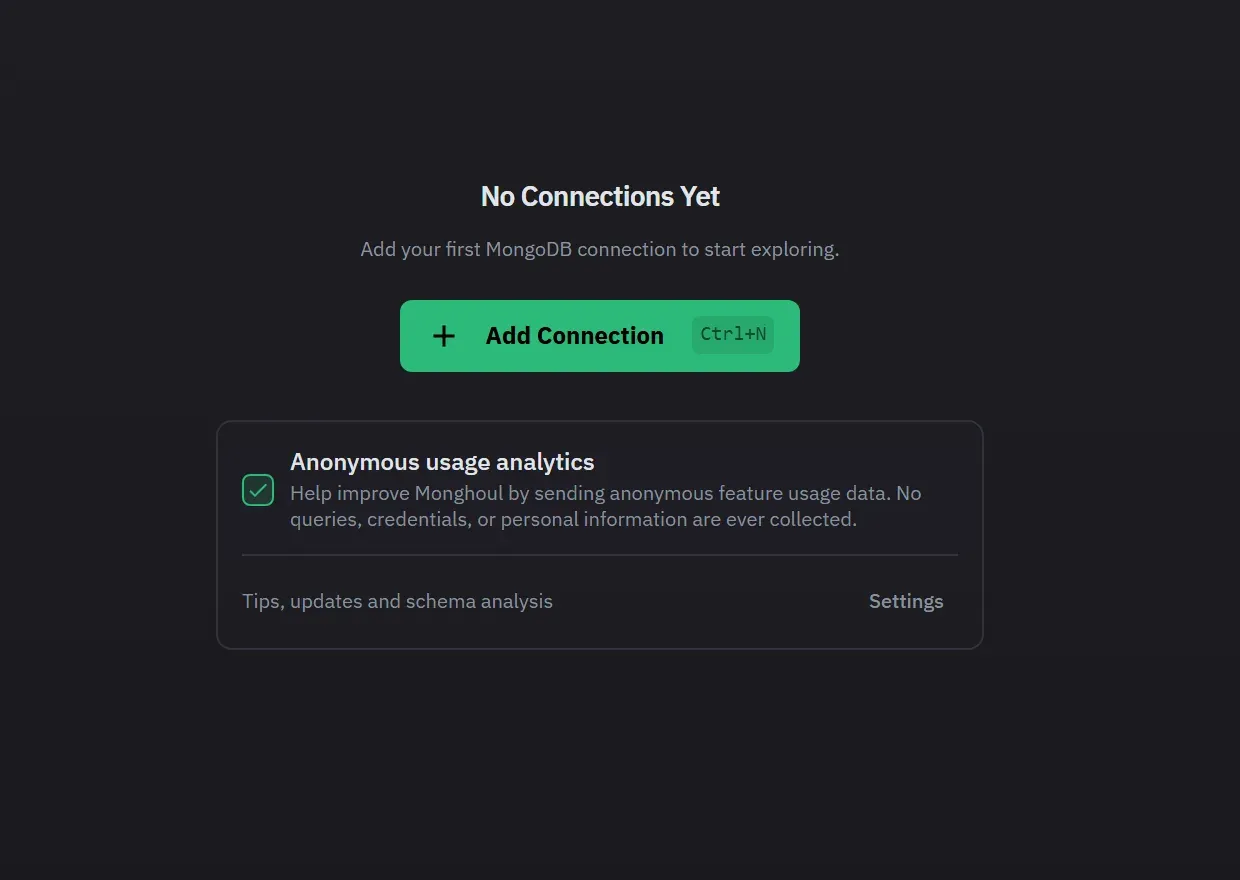
With no connection saved, the window shows “No Connections Yet” and an Add Connection button. It also shows the anonymous usage analytics choice, which is on until you turn it off, and a link to Settings. Next, connect to your first cluster. The first launch after an update opens that release’s notes in a tab.
If a platform dialog stops the install, such as SmartScreen on Windows or Gatekeeper on macOS, the platform page for your system explains it. A Linux machine with no Secret Service stores your saved passwords with a weaker key. Where your credentials are kept explains the difference.
What it writes to your machine
Connection profiles, tabs, query history and themes go into a local SQLite database, monghoul.db,
in your platform’s application data directory for the identifier com.monghoul.app. On Windows that
is %APPDATA%\com.monghoul.app. On macOS it is ~/Library/Application Support/com.monghoul.app. On
Linux it is ~/.local/share/com.monghoul.app. Back up that folder to keep your setup. Saved passwords in a copy cannot be read on another machine, and Monghoul asks for them again. See Keychain and saved passwords. Nothing is synced to a server, because there is no server:
Monghoul talks to your MongoDB clusters, to license.monghoul.com for licence checks, to the
update service to look for a new version, and to anonymous usage telemetry, which is on until you
turn it off.
Updates and privacy has the detail.
Next
Connect to your first cluster: Connect to a cluster.