PostgreSQL in Monghoul
What a PostgreSQL connection gives you: the tree of schemas and objects, SQL drafts with Explain, grid edits, Manual commit, and the Cluster Monitor.
A PostgreSQL connection opens to its databases, then the schemas, then each schema’s tables, views, materialized views and foreign tables. A query tab on it is a SQL draft. This page lists what each part does and where it differs from MongoDB. The connection steps are in Connect to PostgreSQL.
The connection
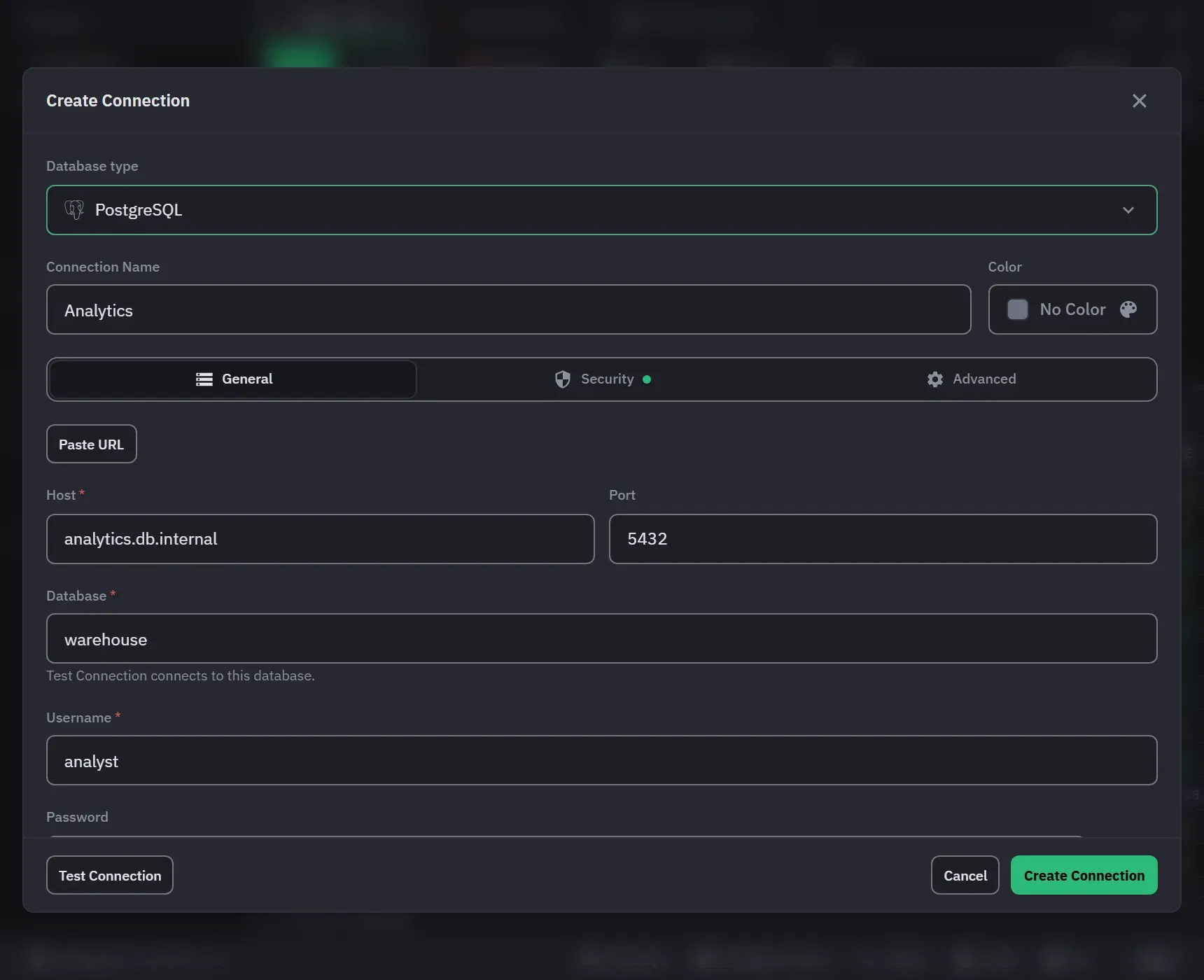
- General: host, port (5432), database (
postgres), user and password. Paste URL fills them from apostgresql://orpostgres://URL, and does not keep the URL. - Security: TLS mode Verify full (the default), Require or Disable. Verify full checks the certificate chain and the host name against the public certificate authorities Monghoul ships with. An SSH tunnel takes a password or a private key and checks the server’s host key.
- Advanced: Read/write or Read-only, connect and query timeouts, the result cap (1 to 10,000 rows, 1,000 by default), Save query results, Auto-run on open, and “Confirm every write on this connection”, which is write protection.
- There is no client certificate option and no proxy option.
On the Free plan a PostgreSQL connection counts toward the 8 saved connections, as a MongoDB one does.
The tree
A database with one schema shows that schema’s objects directly, unless Always show schemas is on.
Show all object types adds sequences, functions, procedures and types under Other objects. A column
row shows its type and its marks: PK, FK, not null, identity, generated and no read.
A double-click or Browse opens a draft with a formatted SELECT of the object, ordered by the primary key, and runs it once. Open Details shows Structure (columns, keys, indexes) and Definition (the CREATE text). The menus have Import into Table, Generate Data, Export Table, Schema, Copy DDL, Pin, Rename, Clear All Rows and Drop. To create an object, write the CREATE statement in a draft.
Drafts, results and Explain
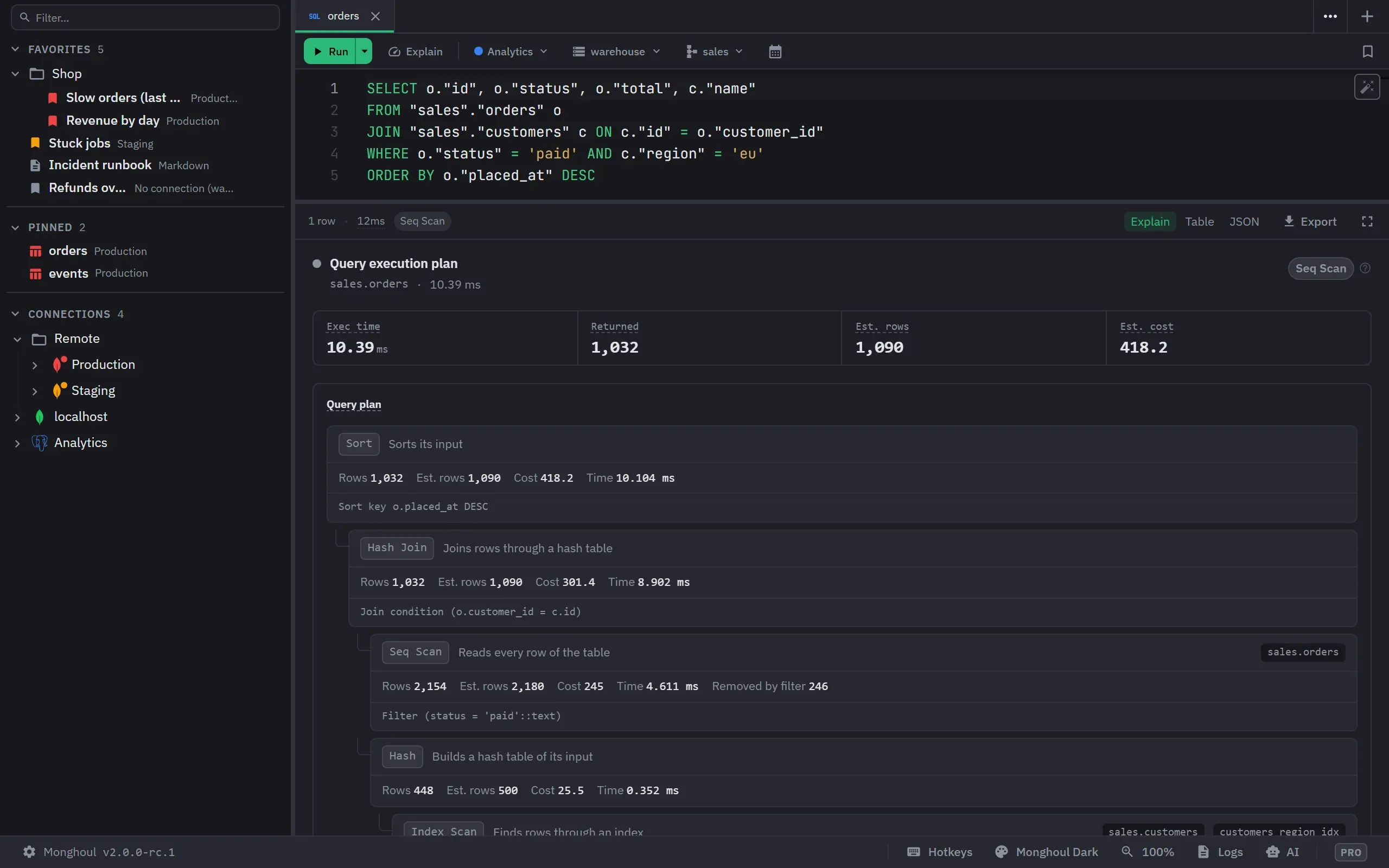
Run takes the selection, else the statement at the cursor, else the whole draft. Run all statements
(Alt+X) checks the whole script first and runs at most 200 statements. Parameters are $1, $2,
and a strip above the editor asks for each value with the type PostgreSQL gives it. The full rules
are in SQL drafts and results.
Explain runs a read to measure its rows and times, and plans a data change without running it. Estimate plan in Run’s menu plans a read without running it.
Writes
An ordinary write runs at once. A write that can drop data or change every row asks first: a write with no WHERE, DROP, TRUNCATE, CASCADE, DROP COLUMN, ALTER COLUMN TYPE, and code Monghoul cannot read, such as DO or CALL. On a write-protected connection every write asks. Each write runs in its own transaction and commits once; an error before the commit rolls it back.
For several writes in one transaction, switch the tab to Manual commit: see Run a SQL script in a transaction. VACUUM, REINDEX SCHEMA and the CONCURRENTLY forms run on their own connection, outside a transaction. REINDEX DATABASE and REINDEX SYSTEM do not run in Monghoul.
Grid edits
A SELECT of one table with every primary key column can be edited in the grid. Review Changes shows the changes as a table and applies them in one transaction. See Edit rows in a SQL result.
Cluster Monitor (Pro)
The health strip rates Cache Hit, Connections, Max Lag, Blocked and Idle in Transaction. The
Operations view lists up to 500 sessions with what each waits for and what blocks it, and has
three modes: Live, History and Statements, which reads pg_stat_statements. A role without
pg_monitor or pg_read_all_stats sees its own sessions only. Monghoul never creates or resets
the extension.