Run a SQL script in a transaction
Run several statements on PostgreSQL with Manual commit, see what is changed and not committed, then Commit or Roll back.
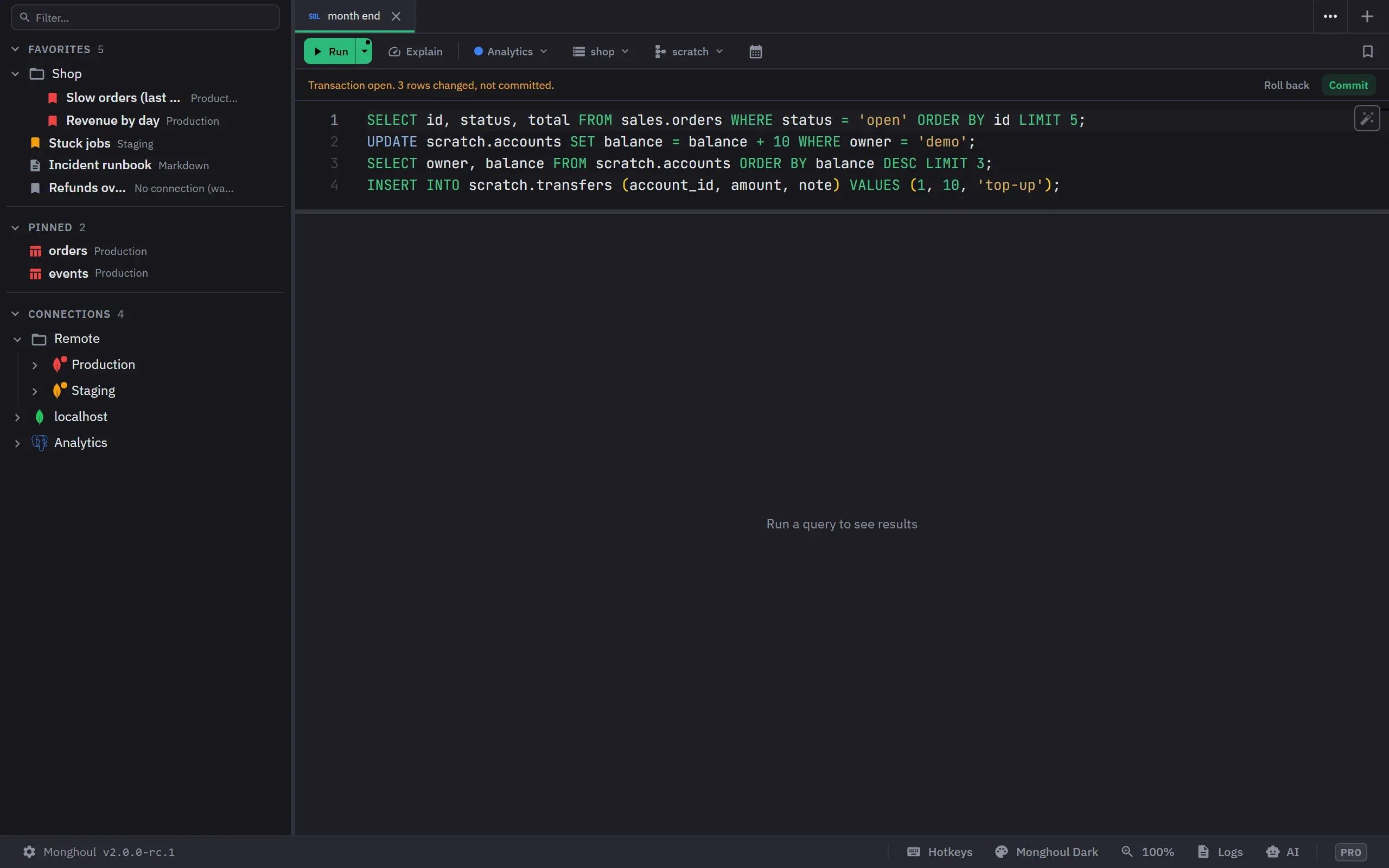
Manual commit is a PostgreSQL feature. ClickHouse has no transactions, and a SQLite draft runs each write in its own transaction.
Turn on Manual commit
Open the Run menu of a PostgreSQL draft and choose Manual commit. The choice belongs to the tab. The first write opens the tab’s transaction; a read runs outside it.
Run statements
- Run runs one statement in the transaction. A failed statement rolls back to the point before it, so the transaction stays open.
- Run all statements (Alt+X) runs the script in the transaction and stops at its first error. A script that holds a write that can drop data, or runs on a write-protected connection, asks first, and the question says that nothing is saved until Commit.
While the transaction is open, a band under the toolbar says “Transaction open. N rows changed, not committed.” A write’s result says “N rows affected, not committed yet”.
Commit or roll back
Click Commit or Roll back in the band. The commit says “Transaction committed” with the rows changed. A failed COMMIT rolls back, and a COMMIT with no answer says “Commit outcome unknown”.
Every end other than Commit is a roll back: 10 minutes with no statement, a lost or changed connection, closing the tab and quitting the app. Closing a tab whose transaction wrote asks first, and so does quitting.
Limits
- A connection holds at most 2 open transactions.
- A tab with an open transaction cannot change its connection or its database.
- VACUUM, REINDEX SCHEMA and the CONCURRENTLY commands cannot run inside a transaction. Inside an open one they are refused with “cannot run inside a transaction”.
- Grid changes commit on their own, so Apply waits while the tab’s transaction is open.