SQLite in Monghoul
A SQLite connection is one file on this computer. What it shows, how values keep their exact type, and what SQLite refuses that the server engines do not.
A SQLite connection is one database file on this computer. Monghoul reads and writes it directly, with no server. Drafts, results, writes, grid edits, import, export, Generate Data, Schema, the Database Map, AI assistants and the operation logs work as they do for PostgreSQL, with the differences on this page.
The connection
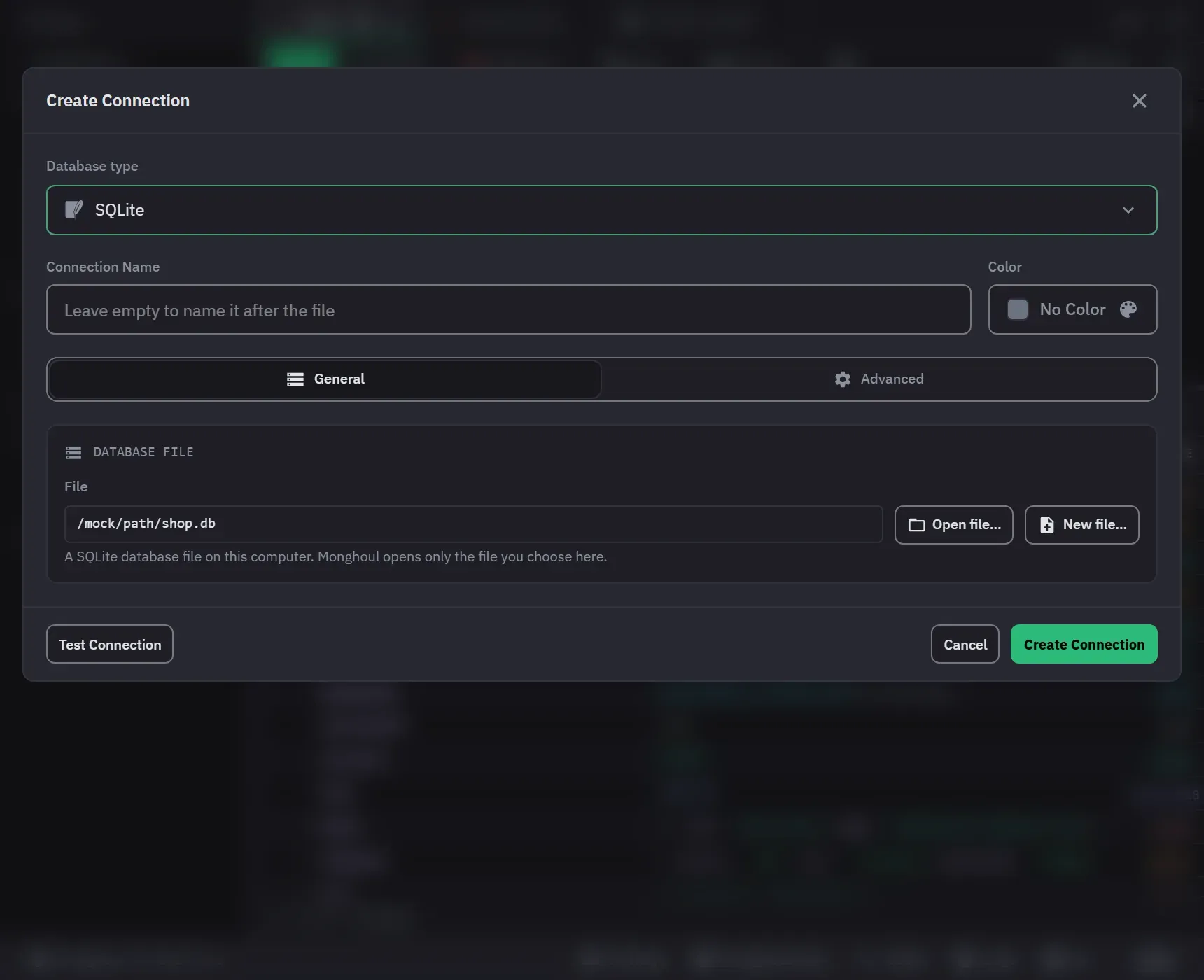
The General tab has one field, File, with Open file and New file. The file always comes from the
system’s file dialog, and a path cannot be typed. The dialogs offer .db, .sqlite, .sqlite3
and .db3 files. New file makes the empty database when you save the connection. A file has no
user or password, so none is asked.
Test Connection opens the file and says “Opened: SQLite” with the version and the size. A file that is missing, damaged or not a database says so. The steps are in Open a SQLite file.
Background processes
Monghoul reads a file with up to four of its own background processes for each connection. A fifth query waits with “Waiting for a slot”. A process with no work ends after 60 seconds. Stop ends the background process that runs the statement, so the statement stops at once.
The tree
The connection lists the file’s tables and views, with no database or schema level. SQLite’s own
sqlite_ tables are not listed. A table opens to its columns, then its indexes and triggers. Browse
opens SELECT * FROM "name" LIMIT 100; a table with no primary key reads rowid, *, so its rows
can be edited too. There is no Cluster Monitor, no Manual commit and no database filter.
Statements
Monghoul splits the text at real semicolons only, so a trigger’s BEGIN … END body stays whole, and
it asks SQLite itself whether a statement reads or writes.
- ATTACH and DETACH never run: a connection reads its own file only.
- BEGIN, COMMIT and ROLLBACK do not run alone, but may group the statements of Run all.
load_extension(), VACUUM INTO and a PRAGMA that changes how the file opens are refused.- Parameters are
?,?1,:name,@nameor$name. A plain number binds as a number, and any other value as text. A statement that mixes named and numbered parameters is refused.
Explain shows EXPLAIN QUERY PLAN as a plan tree, each step in plain words. It never runs the statement.
Values
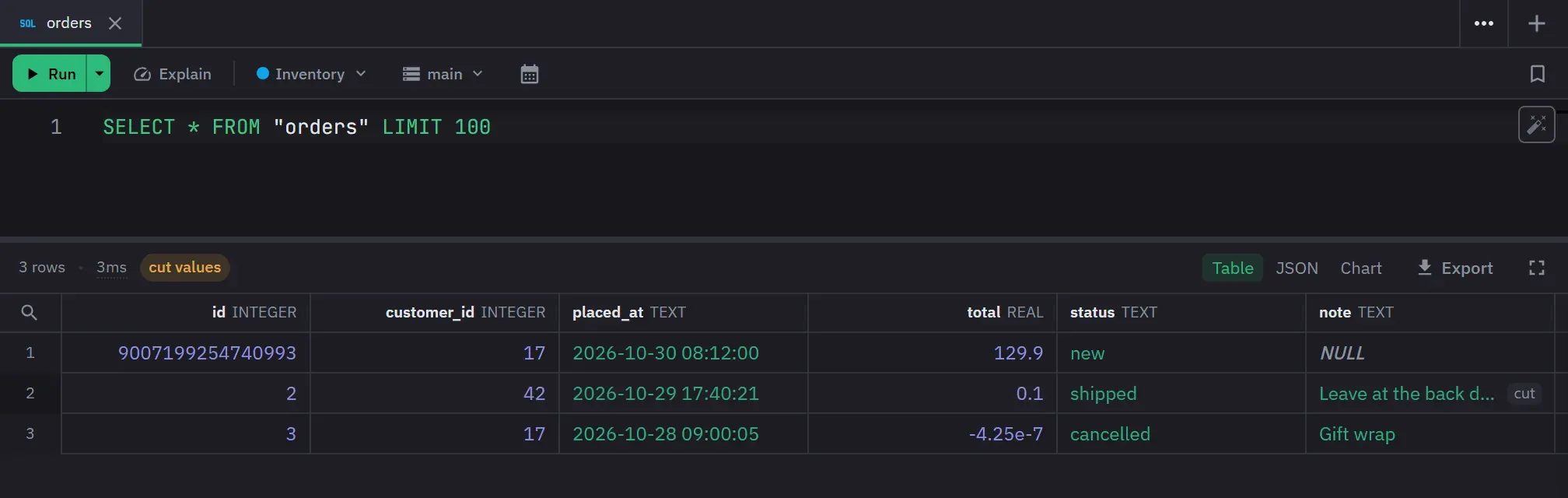
A SQLite column can hold a value of any type, so a value shows as SQLite stored it: a 64-bit integer
keeps every digit, a REAL shows its shortest exact text, a BLOB shows as bytes, and a TEXT over
1 MiB is cut. The header shows the declared type. Export writes a BLOB as \x and its hex in CSV
and Excel.
Writes and grid edits
A write runs in its own transaction, and an error rolls it back. The review asks first for a write that changes every row, for DROP, DROP COLUMN and VACUUM, and for every write on a write-protected connection.
SQLite keeps no row version, so a grid edit reads each row in full and checks it again before it writes. A row another program changed stops the whole batch, and nothing is written. Every change of a batch is applied in one transaction. A change to DEFAULT is refused, because SQLite sets a default only in a new row.
AI assistants (Pro)
An assistant never sees the file’s path. A statement that would read it, such as
PRAGMA database_list, is refused, and a result that holds the path shows <file> in its place.